Proxxon MF70 CNC Kit
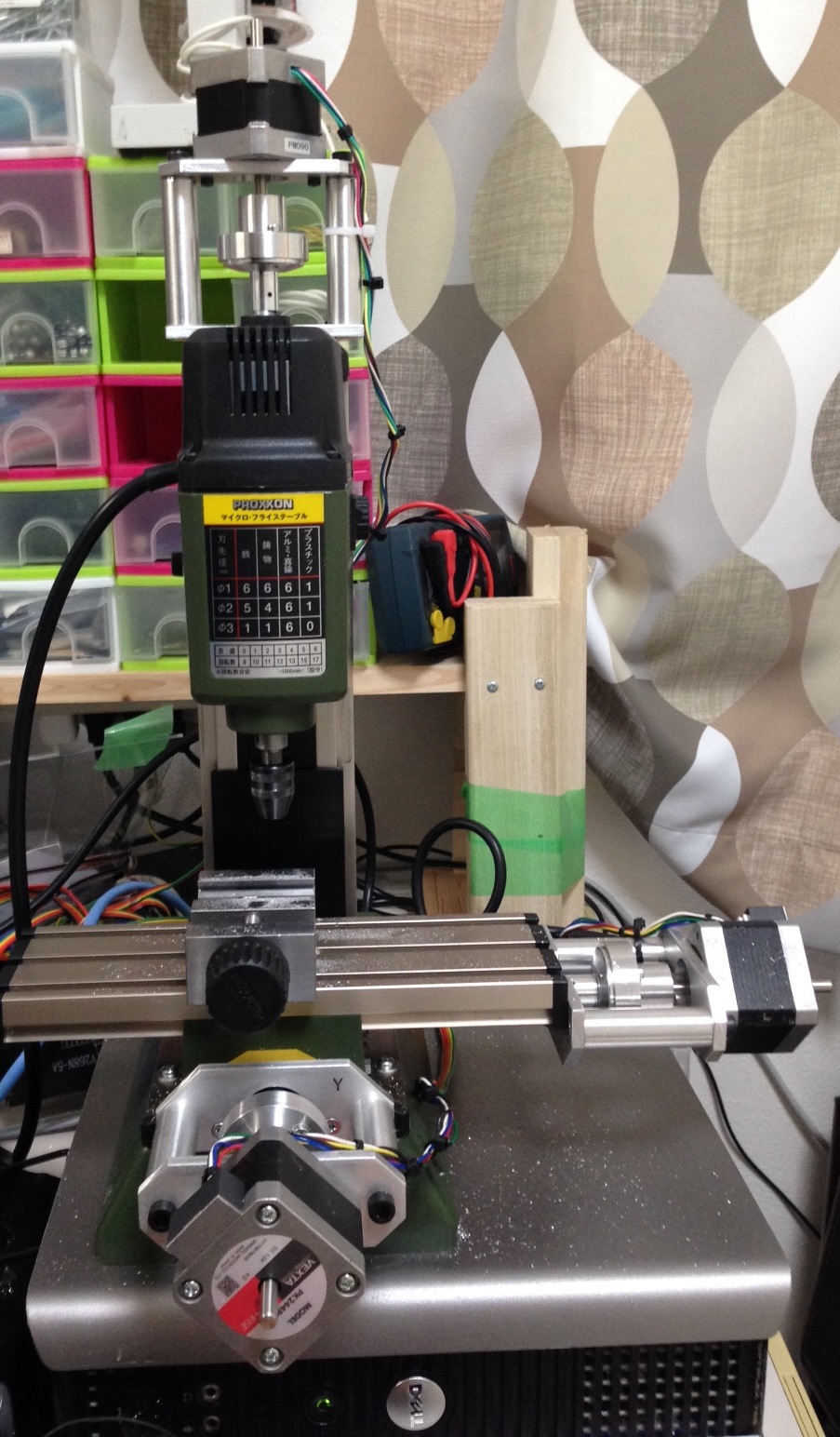
full

I’ve been playing with a Proxxon MF70 CNC conversion, these are my notes in case I ever need to revisit the project, or if they’re useful for anyone else. I purchased the stepper fittings on ebay from seller mbbilici. He has two versions, and I used the NEMA17 kit. Here’s the kit as it arrived:
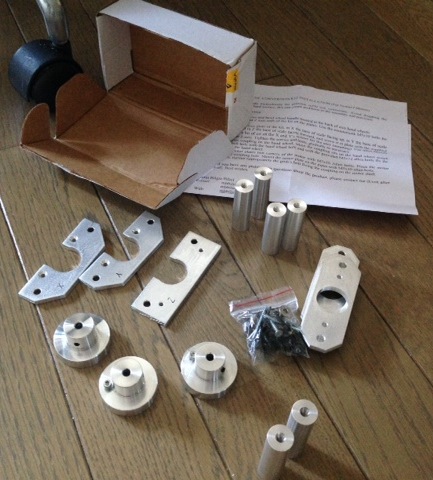
kit

There are a couple of problems with it, the first is that the instructions are awful, and this kit seems different (actually nicer in a lot of ways) than many others on the Internet. This means that if you google for instructions you get confused. I ended up pulling apart half the XY stage before realizing that the kit only requires you to remove the handles and screw into the hole where the handle sits. This is actually really nice, because you can make a non-permanent modification to the Proxxon and return the mill to it’s stock configuration quite easily. This second issue is that the Z-axis stepper mount doesn’t fit on my Proxxon. The kit comes with Torx screws which simply don’t fit the holes in the plastic at the top of the mill, they’re too small and fall though.

I therefore needed to buy new screws (the ones that come with the Proxxon are too short) and drill out the mounting plate as the hole in the plate wasn’t big enough for the screws. These are the screws I bought:
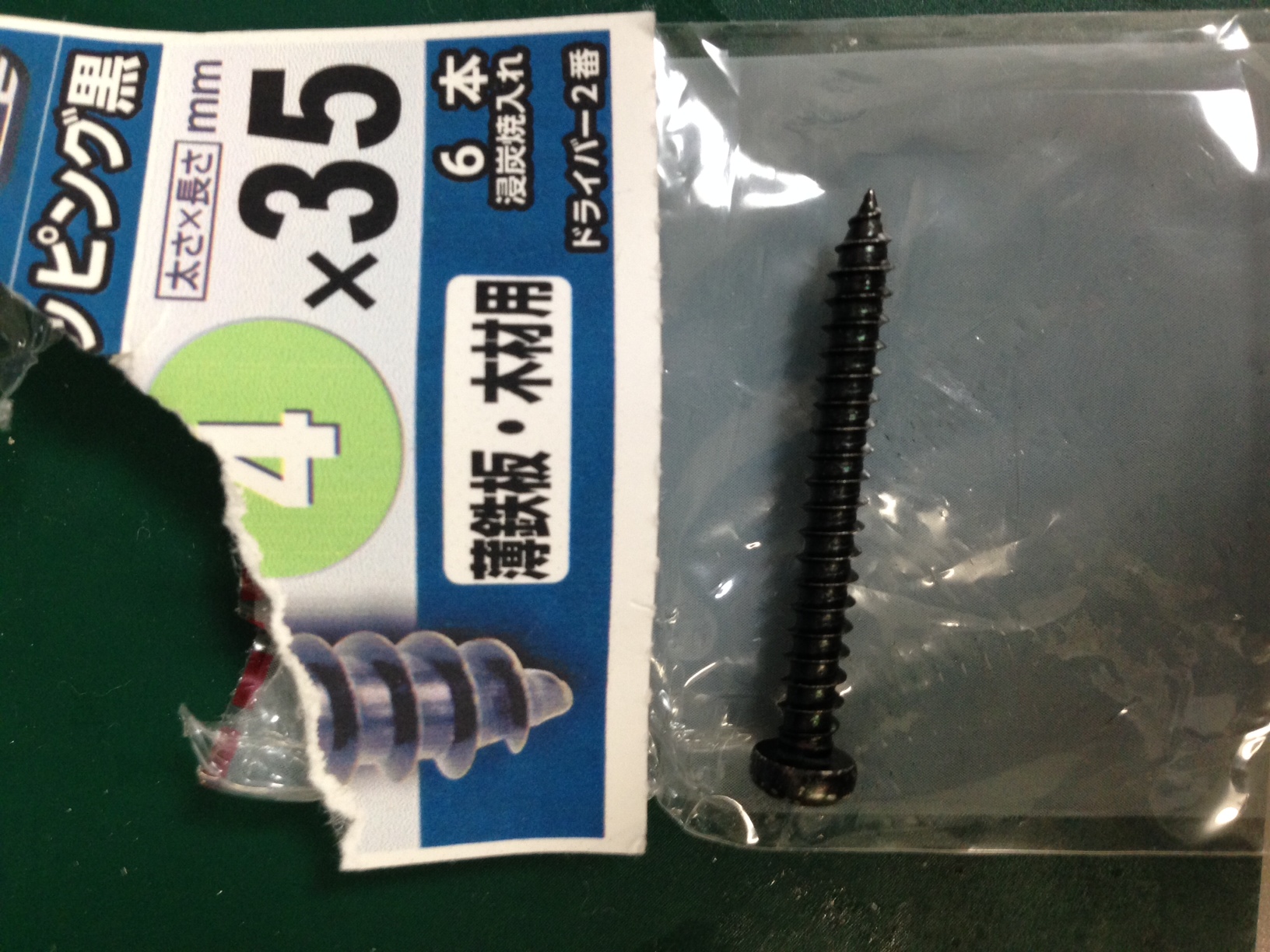
screws

The Z-axis also seemed slightly too short. I had to add a couple of washers so that the Stepper spindle wasn’t push in:
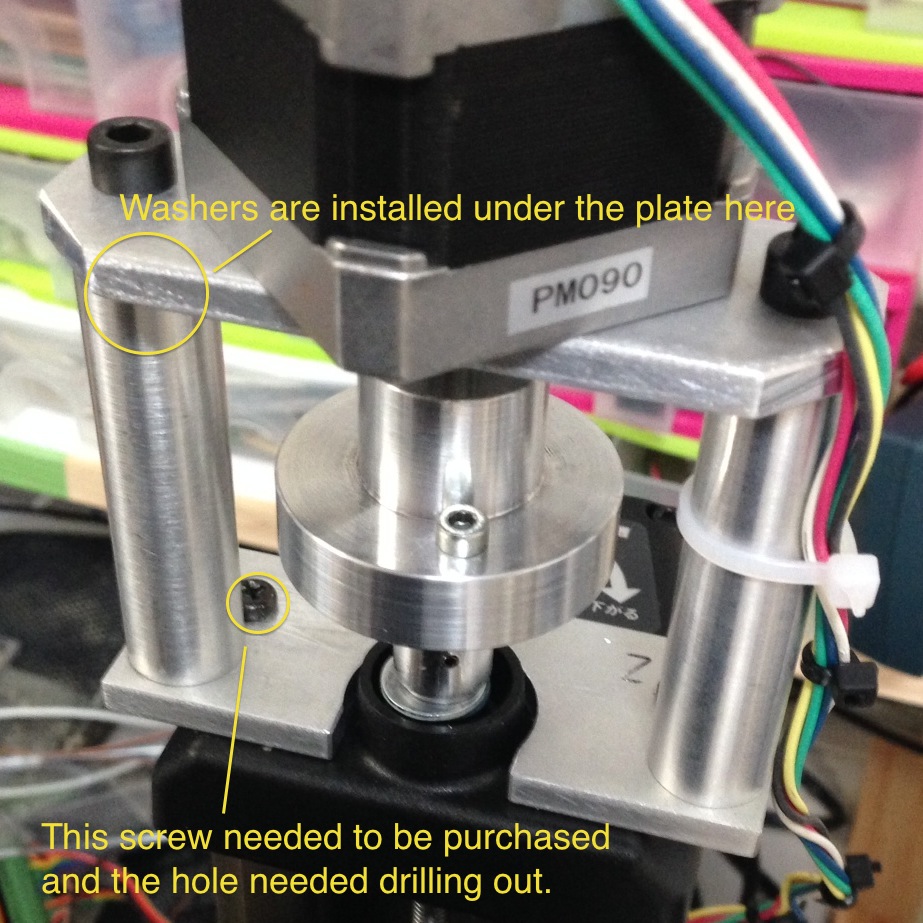
zaxis

Those were the only serious modifications, everything else was pretty easy to install. I used the steppers mentioned in a dip
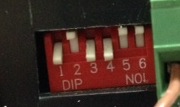
In addition to this, I also purchase the chuck attachment for the mill, and the steal vise. These are not strictly required. The motors were wired up to the driver controller and drivers. I did not connect the enable lines, they are active low, and when connected should you wire them to a physical estop switch. I may do that at some point. I’m using a 12V 3A switching powersupply from my junk pile as the power source for the stepper drivers. The controller board can be powered over USB (though this is not used for control signals).

The driverboard comes with instructions for MACH3 so that’s the software I’ve been using so far. I’d like to try EMC2. The driverboard talks to the PC via an old style parallel port. Almost all CNC controller boards seem to use parallel ports, what’s more USB parallel port adapters wont work. For this reason I picked up an old 30USD PC to use as a mill workstation. The trial version of MACH3 and Lazycam only supports 50 GCode instructions. So you wont get far without the getting the full version. This is annoying, because the demo doesn’t tell you it has this limitation, it just stops. So you I spent a bunch of time debugging this before I realized it was a demo limit.

You need to configure the parallel port pins in MACH3, here are my settings:
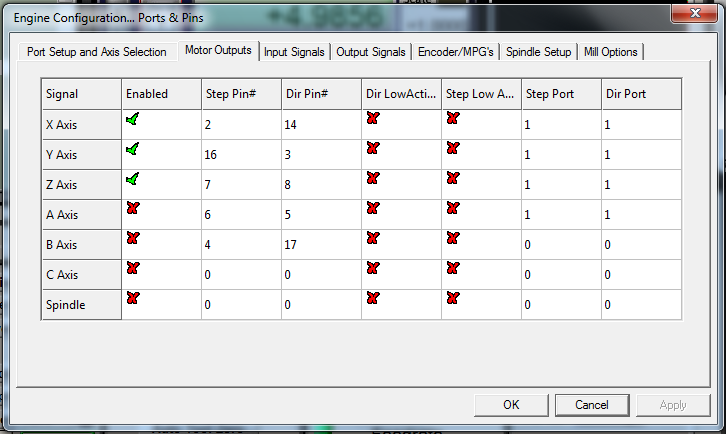
mach3a

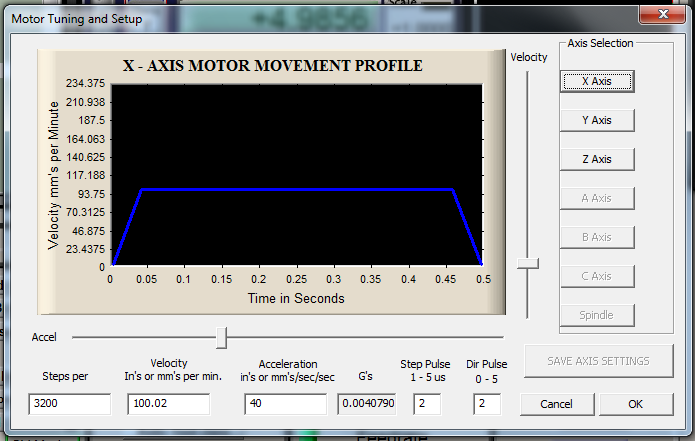
And you also need to configure the motor parameters. There is likely some tweaking to do, but I used the following values which seem to work at the moment:
mach3b

Be careful to click “Save Axis Settings” here. Once everything is configured you can test it out. Power up the steppers (obviously don’t turn on the mill yet). You can now press tab and and bring up the jog whell. This lets you manually control the mill, you should test the motion of the X/Y/Z axis. I’d also recommend trying some manual milling via the steppers.

After all this you should be ready to go. MACH3 comes with LazyCam, you can export dxf’s from something like Solidworks and important them into LazyCam, this will prepare GCode for MACH3 Mill to use.

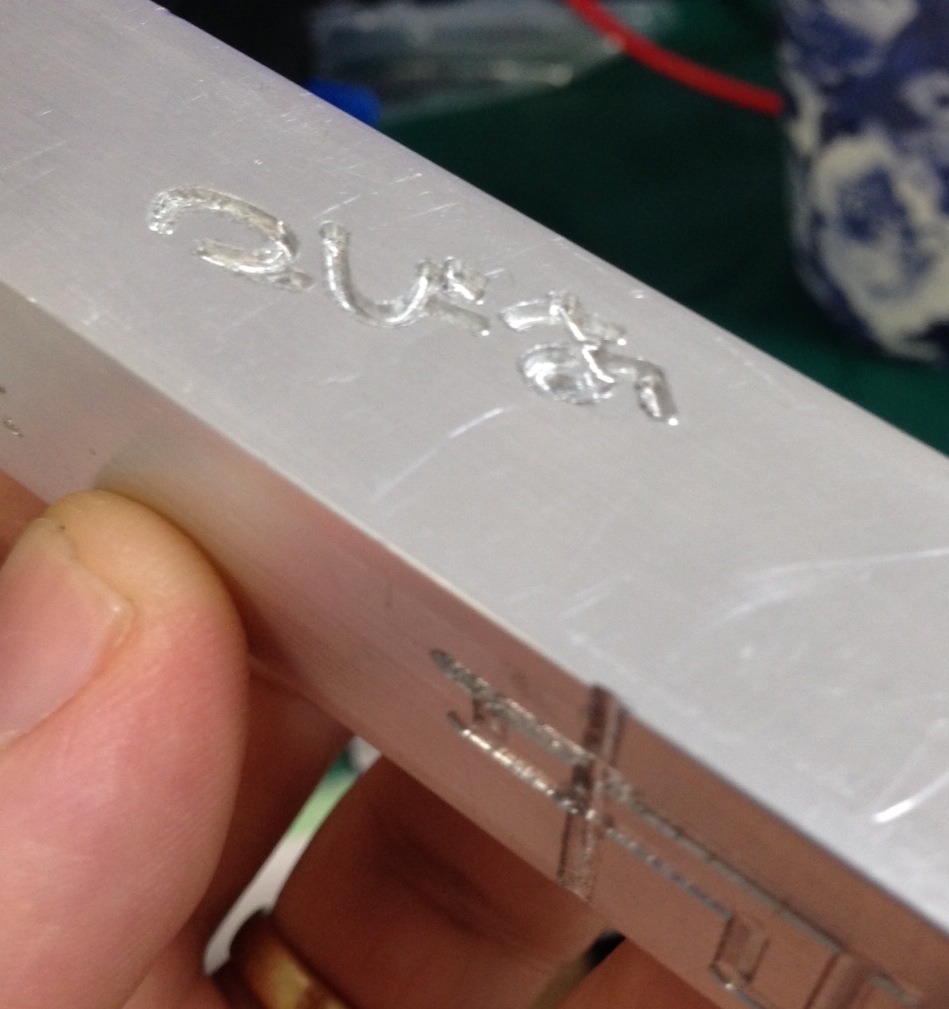
I’ve only just completed the first test cut, here it is:
crop2

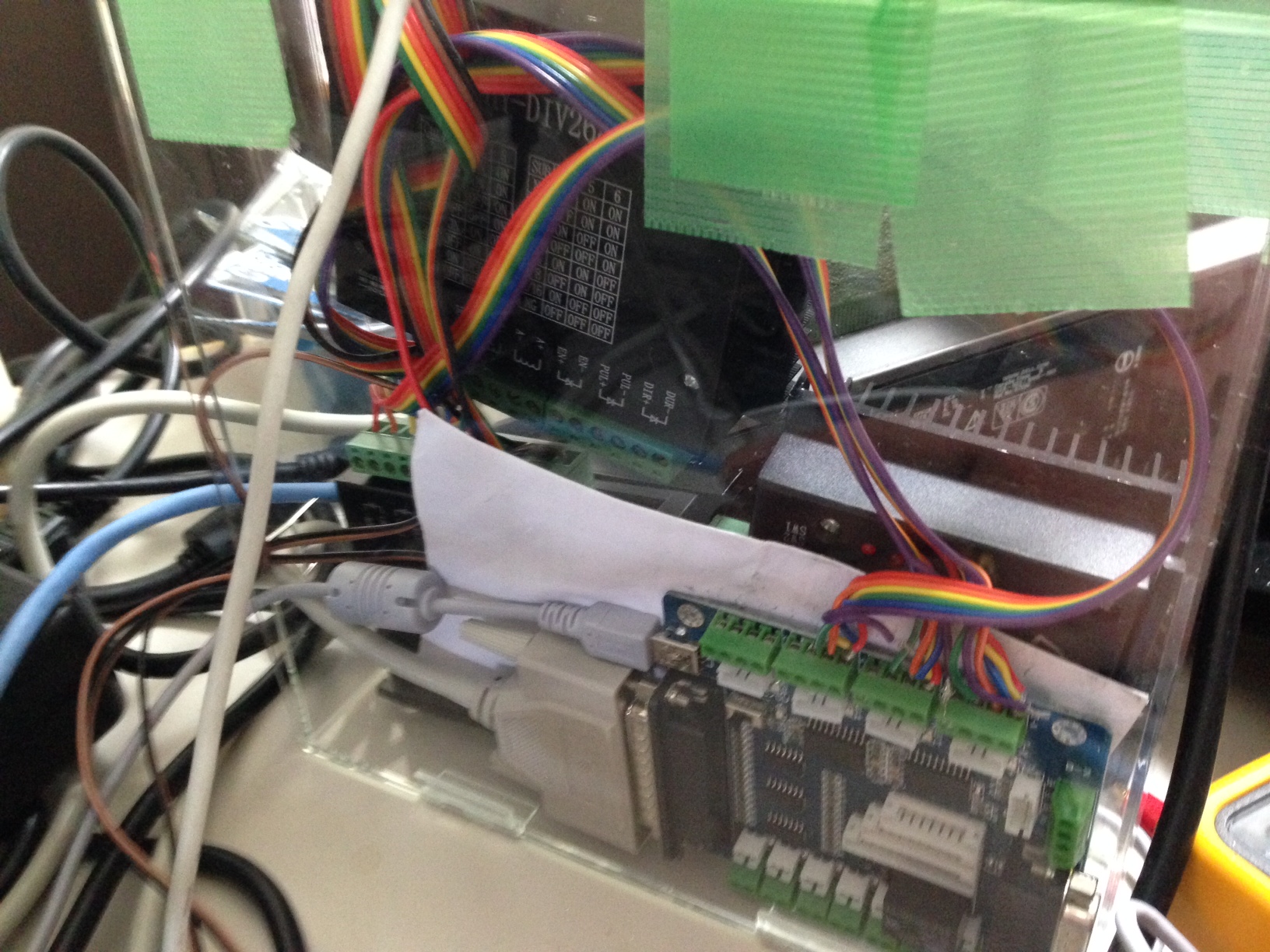
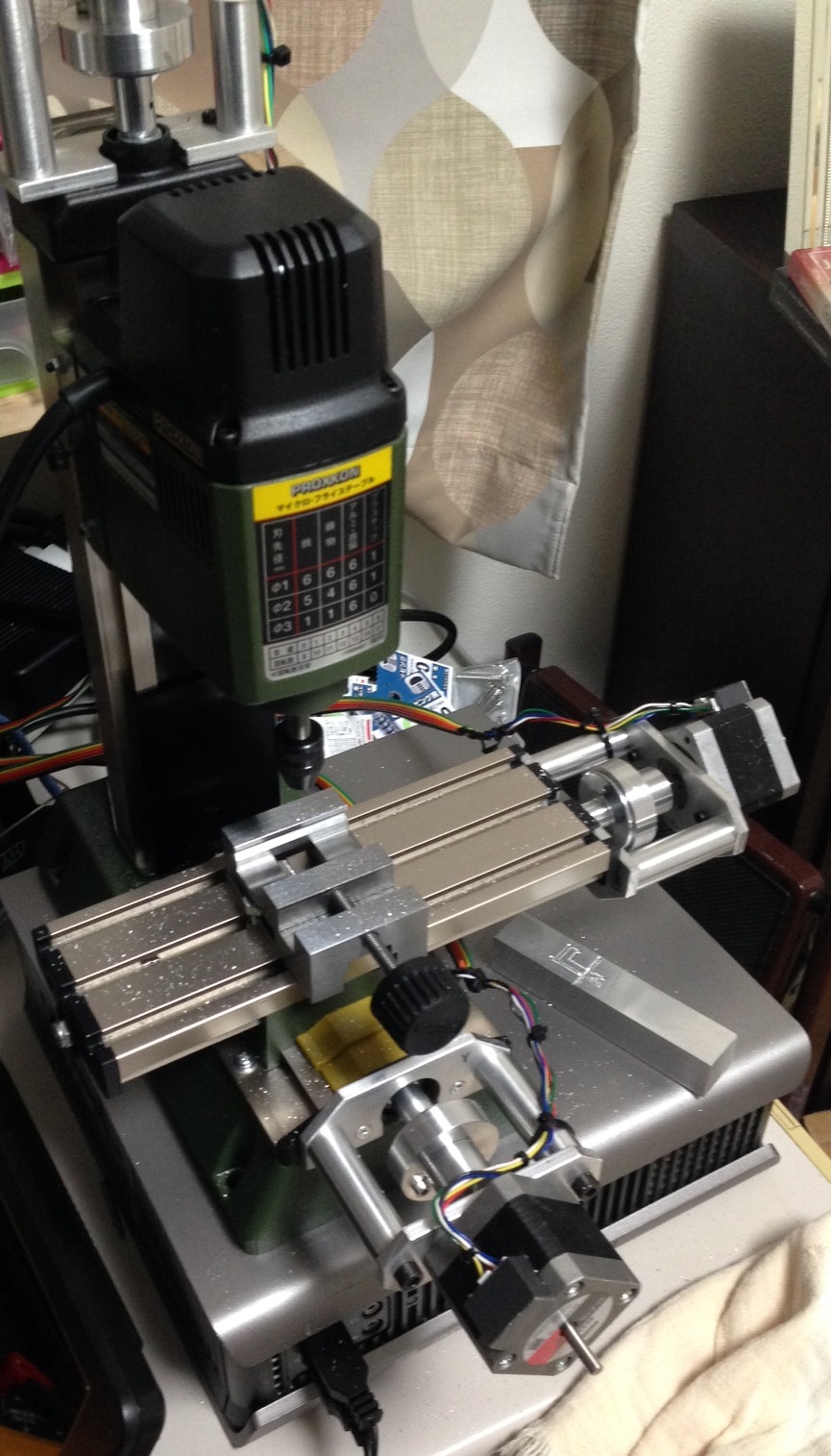
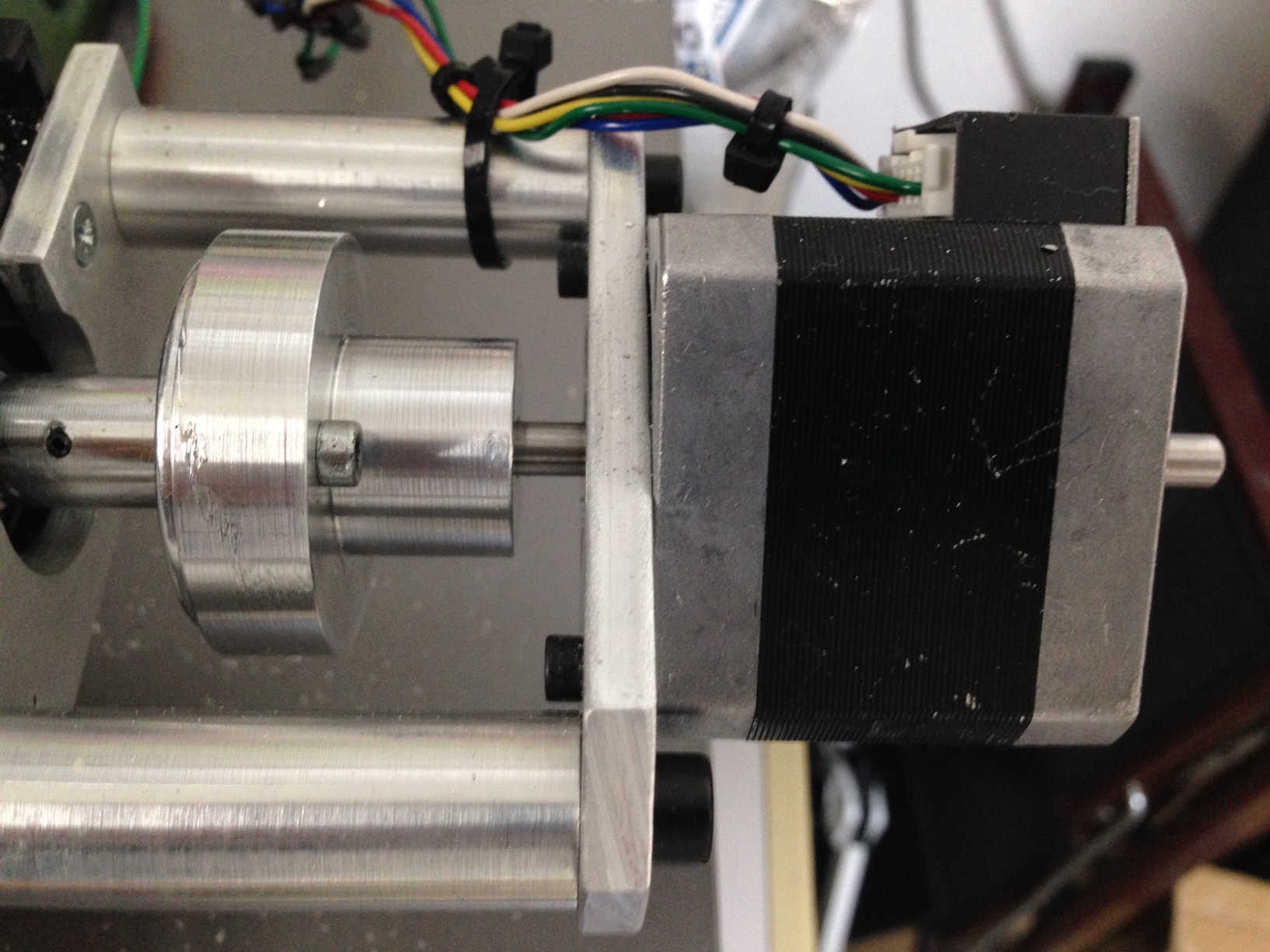
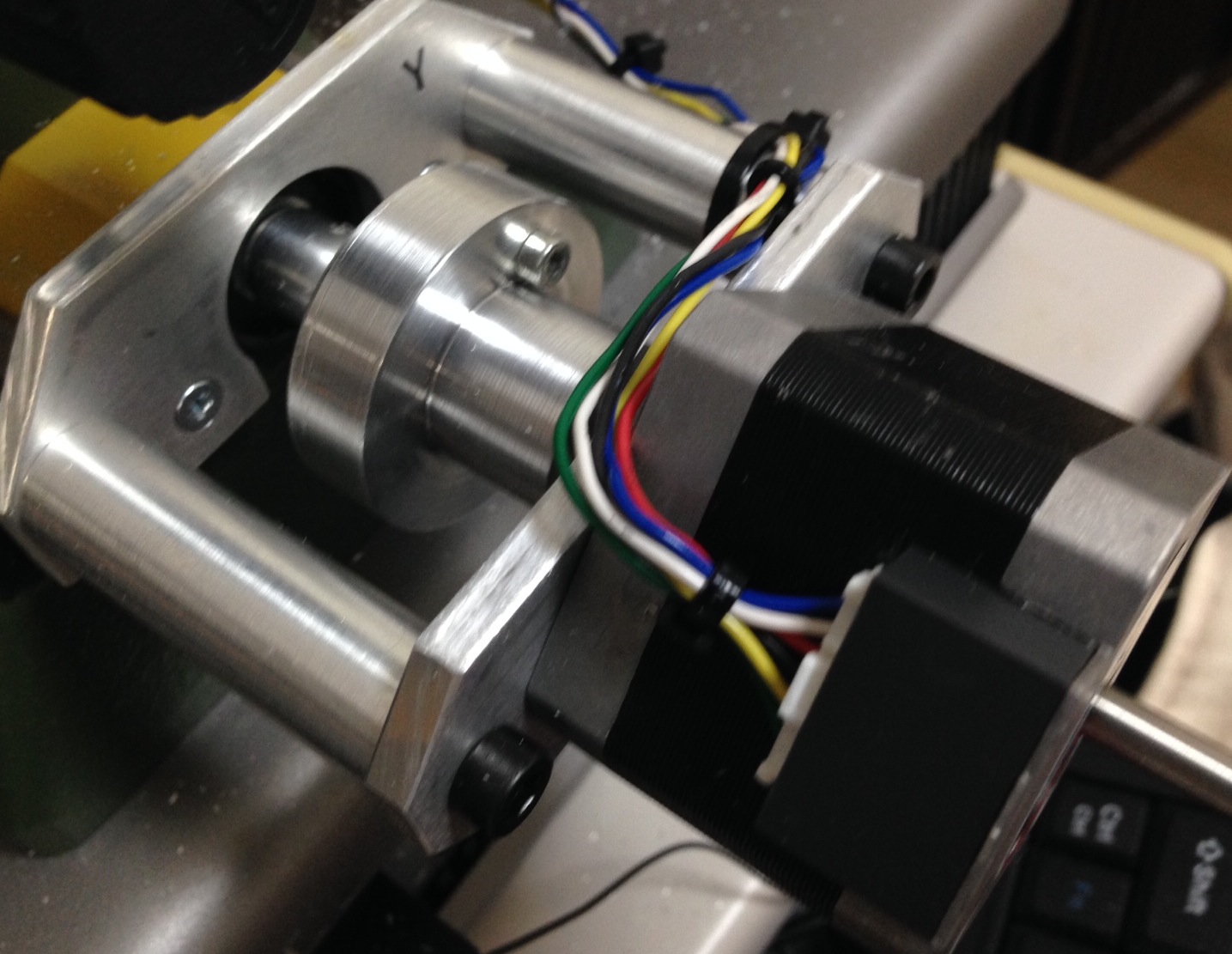
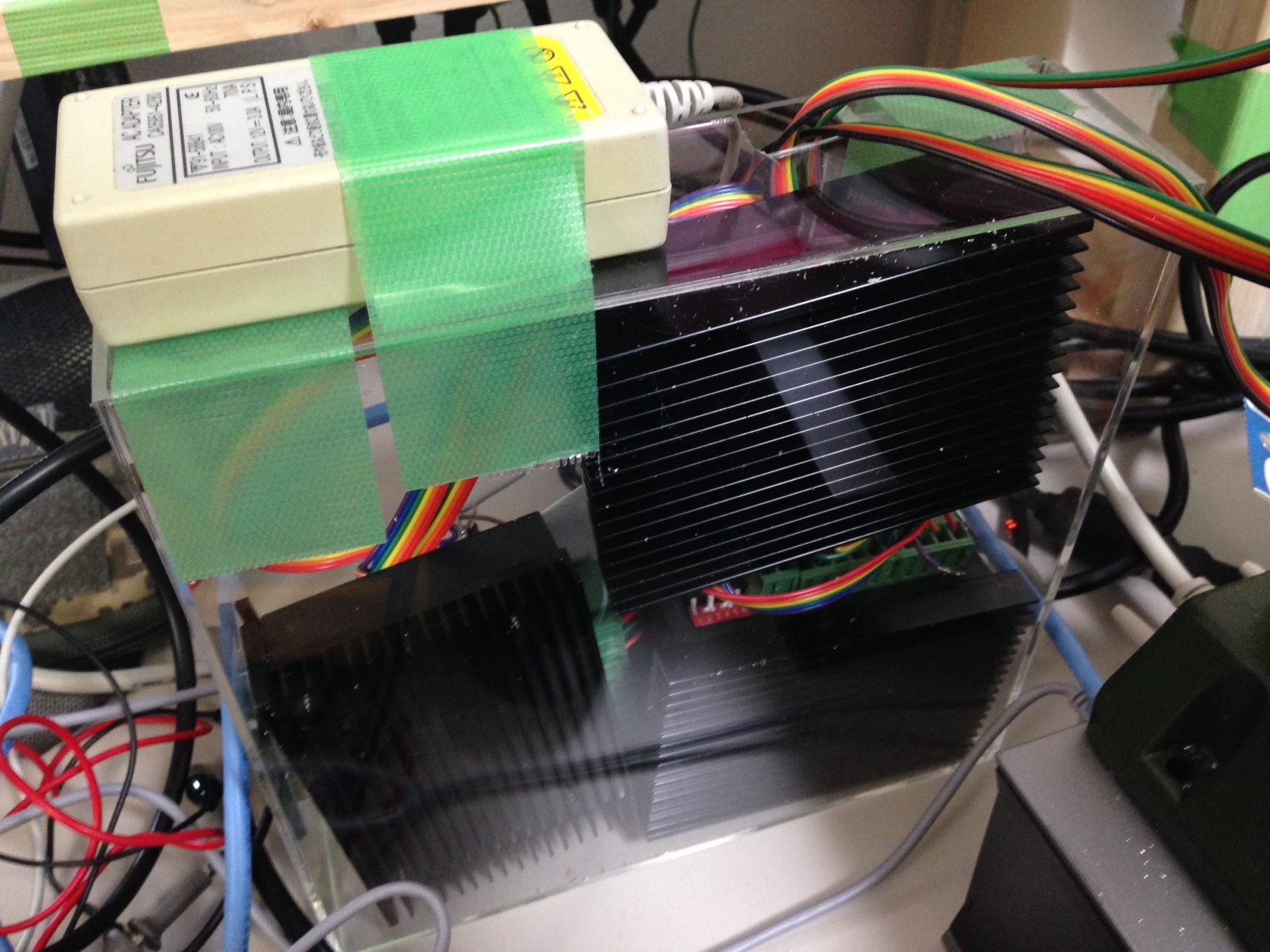
That’s it so far! Here are some additional pictures of the driver board and completed rig:
drivers

drivers2

full2

xaxis

yaxis

HY-DIV268N-5A Stepper driver with Oriental Motor PK244PB (and PK296-03A) Stepper

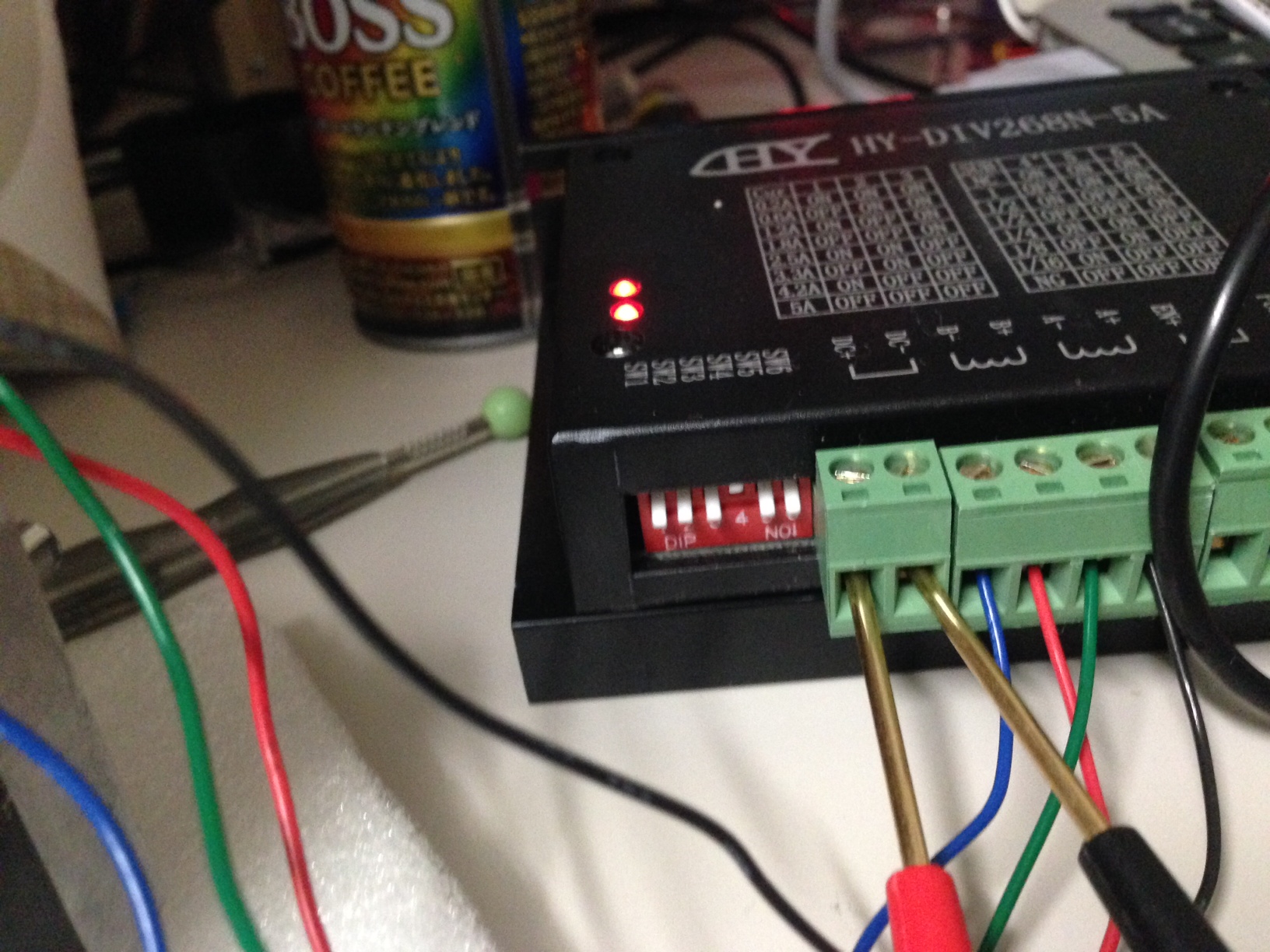
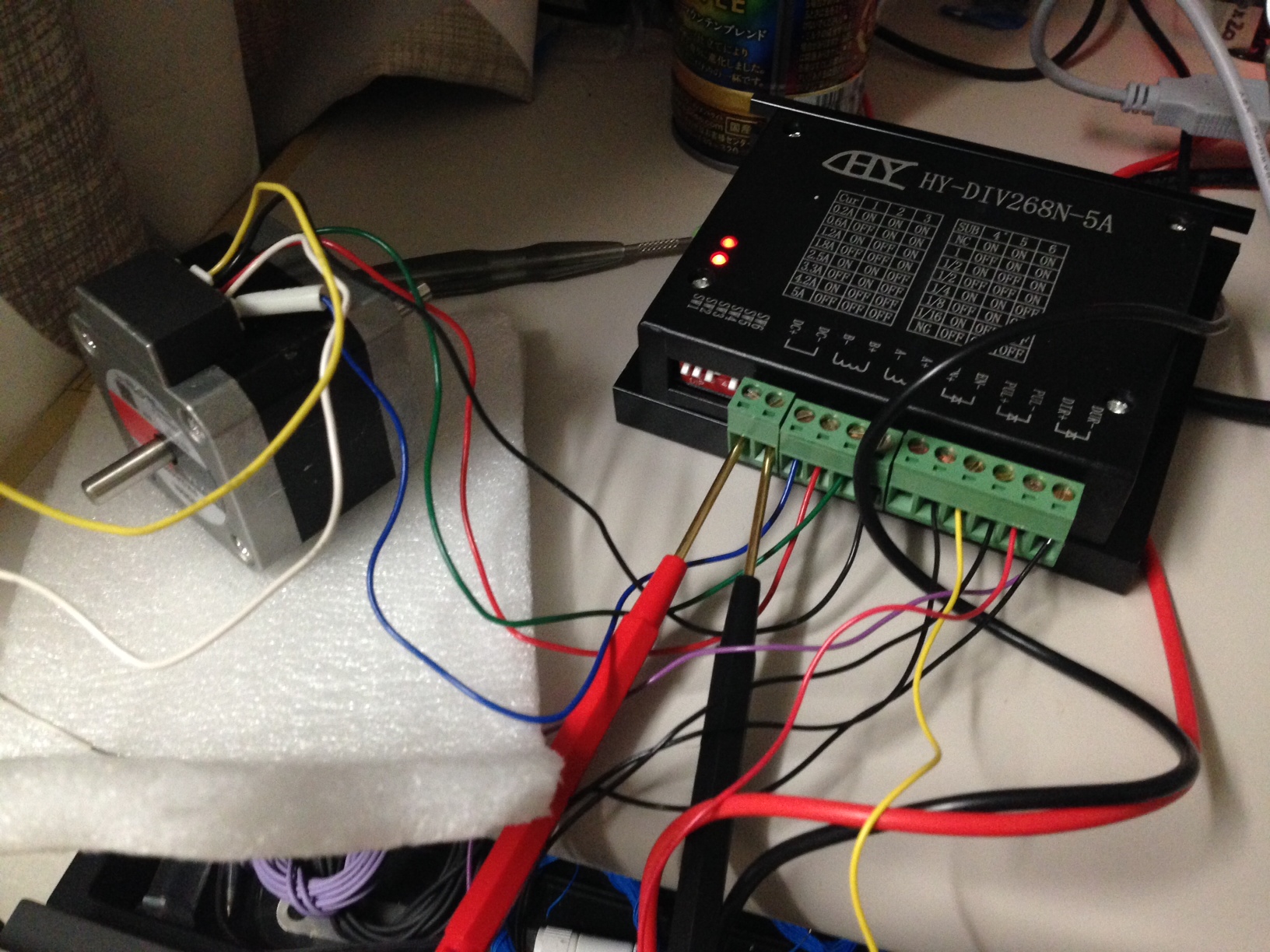
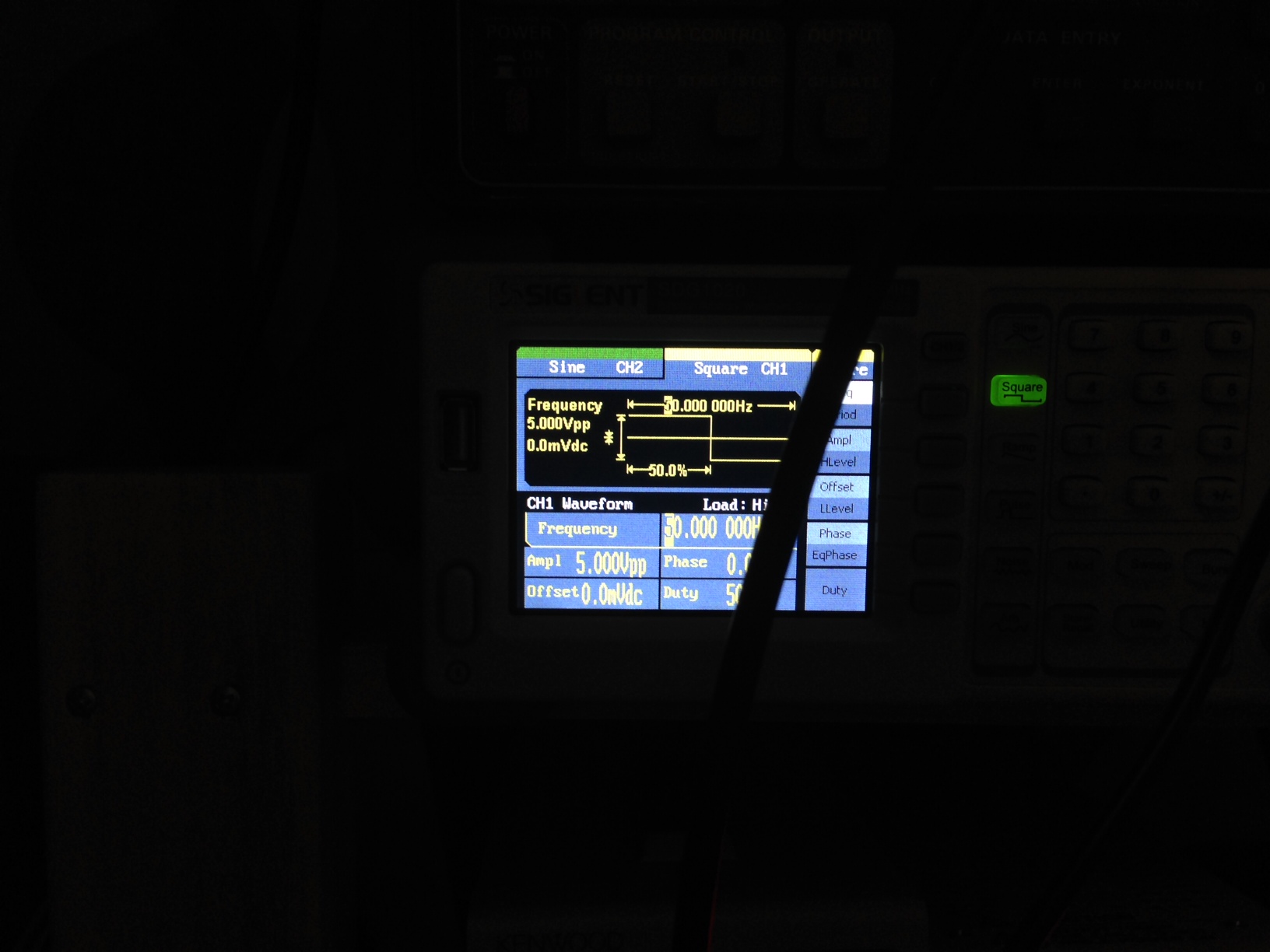
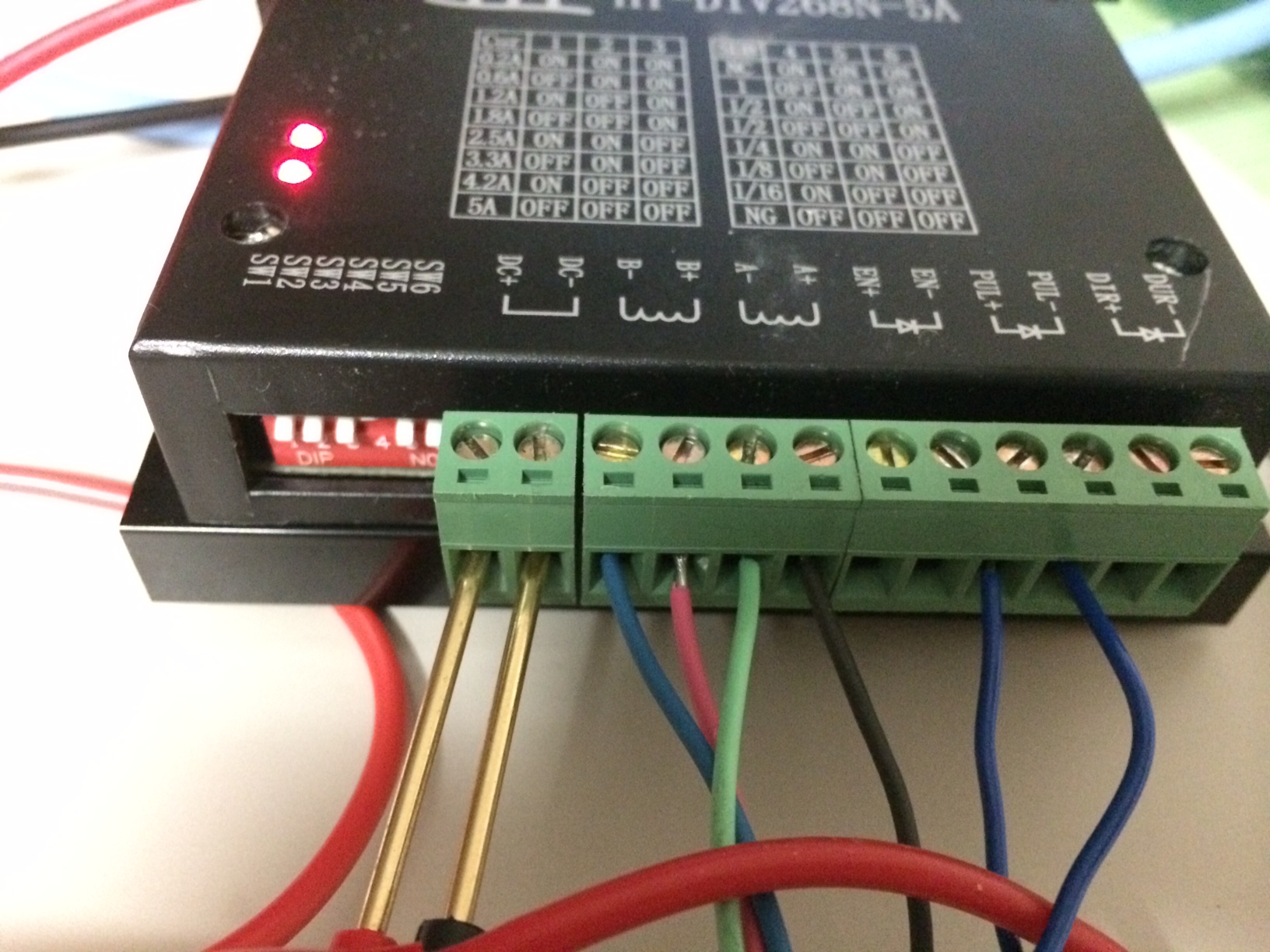
I’ve been playing with a PK244PB stepper (picked up for about 3USD woohoo) and HY-DIV268N-5A Stepper driver. Hopefully these will be used for a CNC project later. The pictures below document the basic configuration. The interface board supplied use old school parallel (WTF?) In order to test things out I needed to ground pin 25, and supply a square wave on pin 2. The input on pin 2 gives provides a pulse drive to the system, there’s also a direction pin (pin 14) you can stick 5V in there to get the motor to rotate in the other direction.

step1

step2

step3

I’ve also used this driver with the PK296-03A stepper (which is a beast!):

pk296-03A

PK296-03A2

This is the original ebay page for the driver: driver_info.html.maff

Original Specifications

From the above ebay page:

Electrical Specifications of Breakout board
Input Voltage 5V DC via power adapter or directly get power from PC via USB port
Drive type Pulse + Direction + Enable Signal Control
Suitable Microstep Driver 2 Phase, 3 Phase, 4 Phase Microstep Driver (M542/M542H/MA860H/3MA2290 etc.)
Net weight Approx 80g/300g
Dimensions 90 * 82 * 15mm (L*W*H)
Electrical Specifications Of TB6600HG Stepper Driver
Input Voltage 12V ~ 45V(Peak) DC
Output Current 0.2A ~ 5.0A (Peak)
Drive Type Pulse + Direction + Enable Signal Control (Single-Chip PWM Bipolar Sine Chopper)
Suitable Motor Nema17, Nema23, Nema24, Small-sized Nema34 (Rated current: 0.2A-5.0A)
Net Weight 250g
Dimensions 105*85*35mm
Operationg Environment & Other Specifications Of TB6600HG Stepper Driver
Cooling Natural Cooling or Fan Forced cooling
Operating Environment
Environment Avoid dust, oil fog, corrosive gas
Ambient Temperature 0 °C ~ 50°C (32°F ~ 122°F)
Humidity 40%RH ~ 90%RH
Operating Temperature 70°C (158°F) Max
Storage Temperature -20 °C ~ 65°C (-4°F ~ 149°F)
Total Weight Approx. 300g

DIP Settings from ebay page

Output Current SW1 SW2 SW3
0.2A ON ON ON
0.6A OFF ON ON
1.2A ON OFF ON
1.8A OFF OFF ON
2.5A ON ON OFF
3.3A OFF ON OFF
4.2A ON OFF OFF
5.0A OFF OFF OFF
Microstep Mode SW4 SW5 SW6
N/A ON ON ON
1(Full Step) OFF ON ON
2 ON OFF ON
2 OFF OFF ON
4 ON ON OFF
8 OFF ON OFF
16 ON OFF OFF
N/A OFF OFF OFF

Chalkboard electronics captouch display

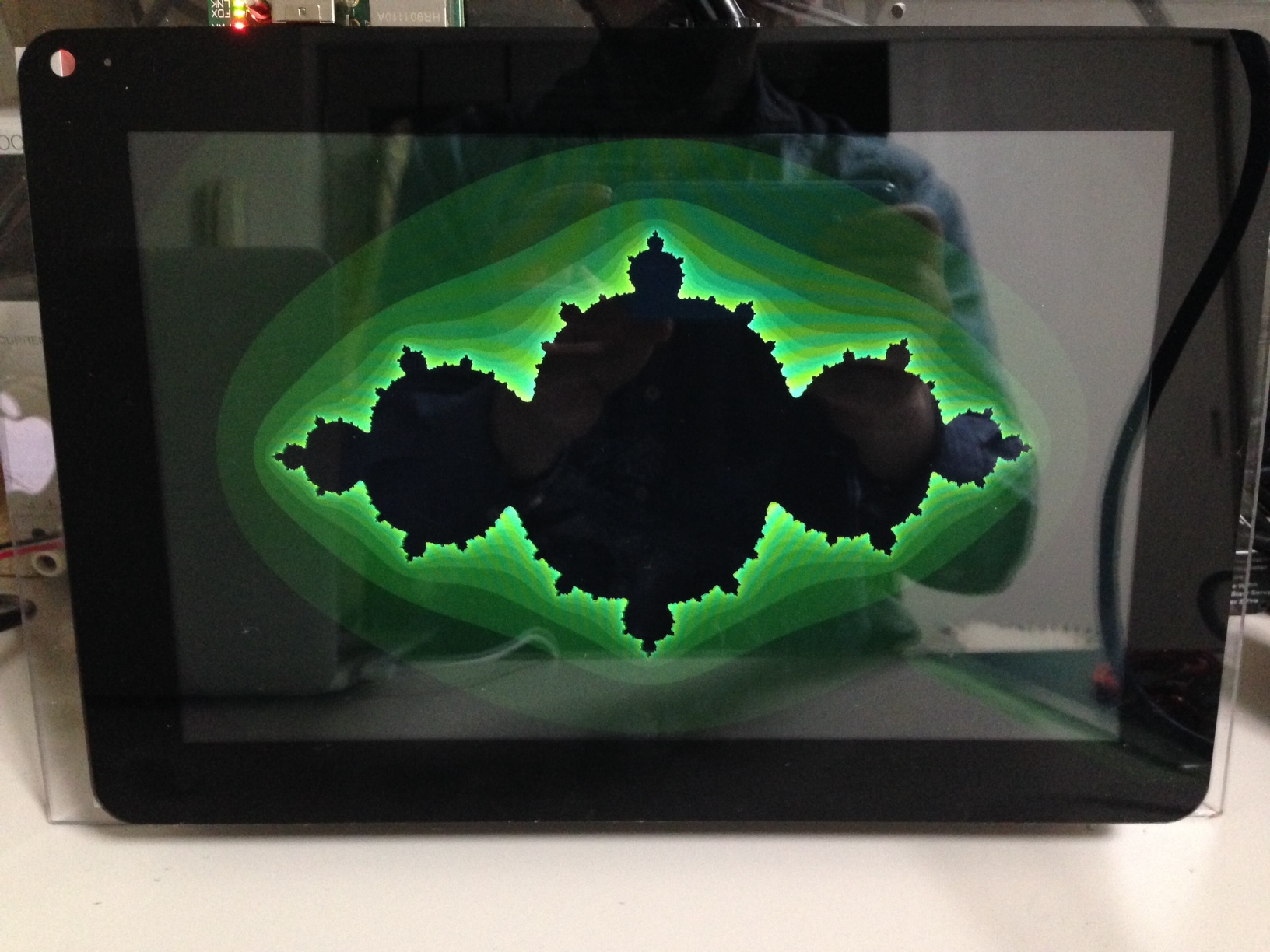
photo1

I picked up a 10inch captouch display from Chalkboard electronics, the display comes with a HDMI converter board, and the captouch interfaces over USB. Overall this makes it an easy platform to play with. I rigged it up to a Raspberry Pi (because it can do native, X-less OpenGL woohoo!). Here’s a quick video:

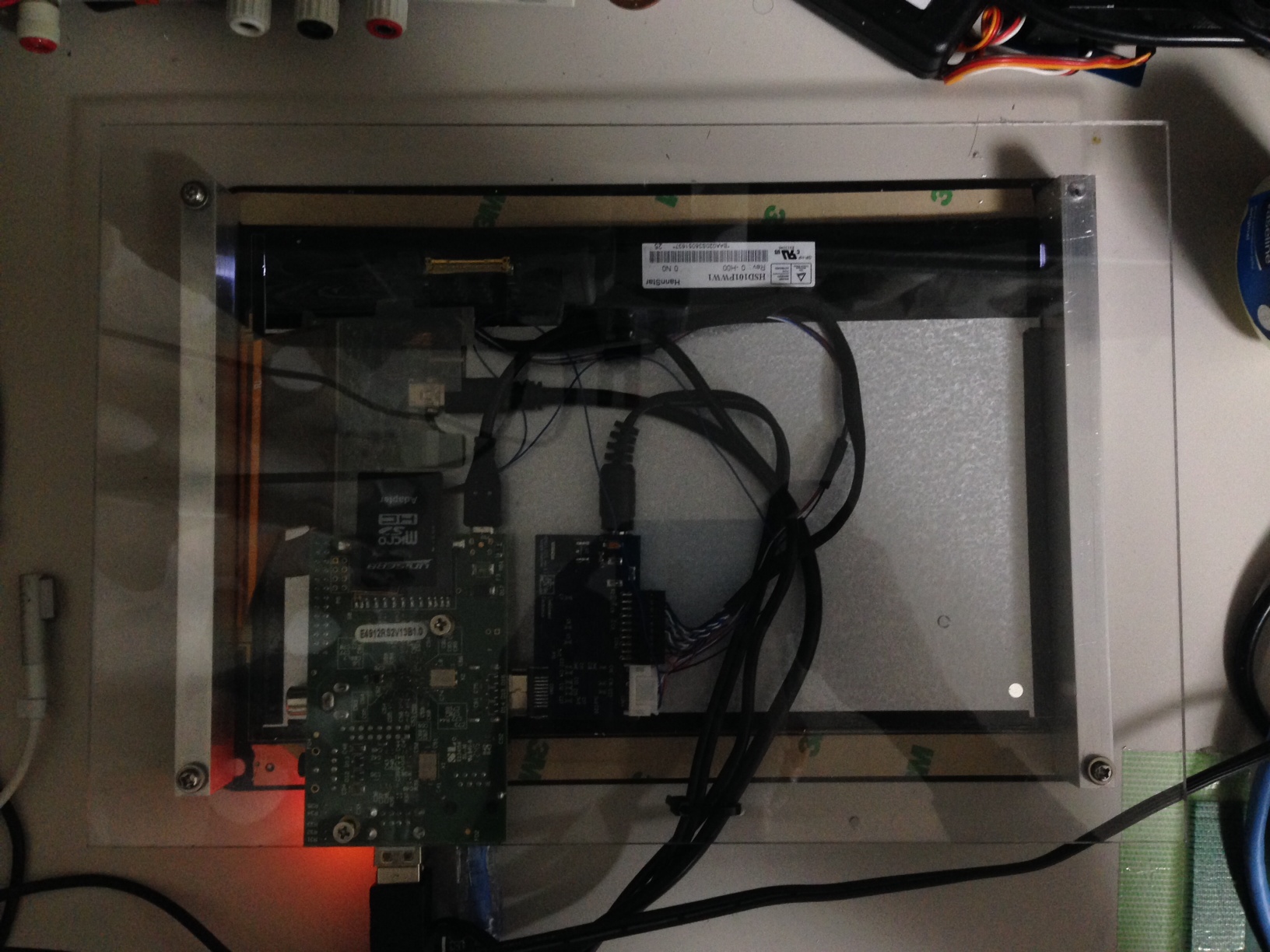
The display and Pi were mounted on a piece of PET plastic like so:

photo2

Random notes for later:

Chalkboard driver info:
http://www.chalk-elec.com/?p=1592

OpenGL ES without X Windows:
http://benosteen.wordpress.com/2012/04/27/using-opengl-es-2-0-on-the-raspberry-pi-without-x-windows/

Checking multitouch from the commandline on Linux:
https://wiki.ubuntu.com/Multitouch/Testing/CheckingMTDevice

Source for above?:
https://github.com/rydberg/mtdev/blob/master/test/mtdev-test.c

mtdev_idle
https://gitorious.org/multitouch/mtdev/source/309df849b8ad3772b912d498eacda9f38a6e4f1e:src/iobuf.c

gl tutorial: http://www.arcsynthesis.org/gltut

On rounded rectangles and buttons:

http://www.uiandus.com/blog/2009/7/26/realizations-of-rounded-rectangles.html
http://ux.stackexchange.com/questions/11150/how-do-rounded-corners-affect-usability

Simple hipchat bot in go

This is some very simple hipchat bot code in golang. It will tell you the time in a few locations when you mention it.

package main

import "github.com/daneharrigan/hipchat"
import "fmt"
import "time"
import "strings"
import "log"

func main() {
user := "NNNNN_NNNNNN"
pass := "password"
resource := "bot" //should be bot
roomJid := "[email protected]"
fullName := "mr bot" //seems to need to be lowercase
mentionName := "mrbot"

client, err := hipchat.NewClient(user, pass, resource)
if err != nil {
  fmt.Printf("client error: %s\n", err)
  return
}
fmt.Printf("Connected\n")

rooms := client.Rooms()
for _, element := range rooms {
  fmt.Printf("Room: %s\n", element.Id)
  client.Join(element.Id, fullName)
}

client.Status("chat")
// for _,element := range rooms {
// client.Say(element.Id, fullName, "Hello")
// }

for message := range client.Messages() {
  if strings.HasPrefix(message.Body, "@"+mentionName) {
    t := time.Now()
    gmt, er1 := time.LoadLocation("Europe/London")
    sf, er2 := time.LoadLocation("America/Los_Angeles")
    if er1 != nil {
      log.Panic(err)
    }
    if er2 != nil {
      log.Panic(err)
    }

    timestr := t.Format("Jan 2, 2006 at 3:04pm (MST)")
    client.Say(roomJid, fullName, "The time in Japan is:"+timestr)

    t = t.In(gmt)
    timestr = t.Format("Jan 2, 2006 at 3:04pm (MST)")
    client.Say(roomJid, fullName, "The time in London (and Dublin) is:"+timestr)

    t = t.In(sf)
    timestr = t.Format("Jan 2, 2006 at 3:04pm (MST)")
    client.Say(roomJid, fullName, "The time in San Francisco is:"+timestr)
  }
}

select {}
}