December 26, 2014, 6:15 am
To get to Awa-Kamogawa from Tokyo you can take the train from Yaesu (South exit). This is right next to where the Shikansen leaves from (on the left
facing in from the South exit). Follow signs for Yaesu central then south (not north).

The train is called the Wakashio limited express and leaves from Yaesu Tokyo station. The entrance and ticket machines are to the left of the Shinkansen entrance.
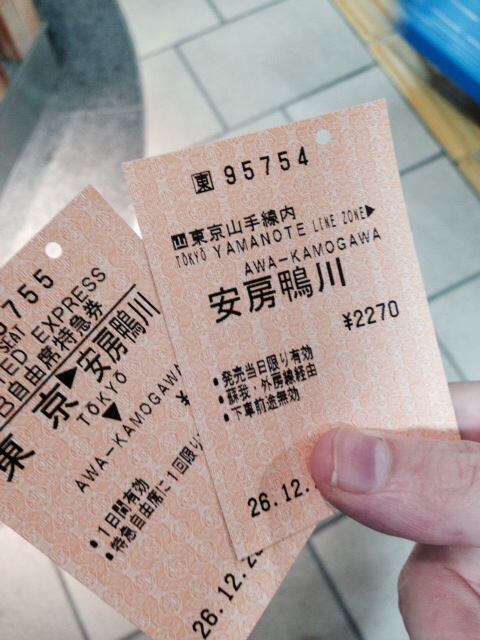
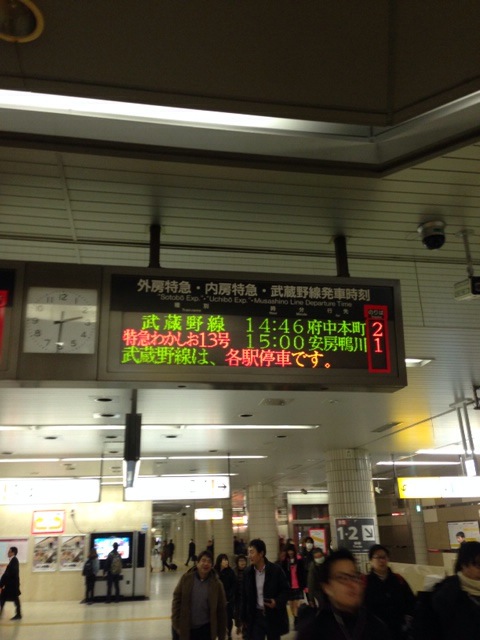
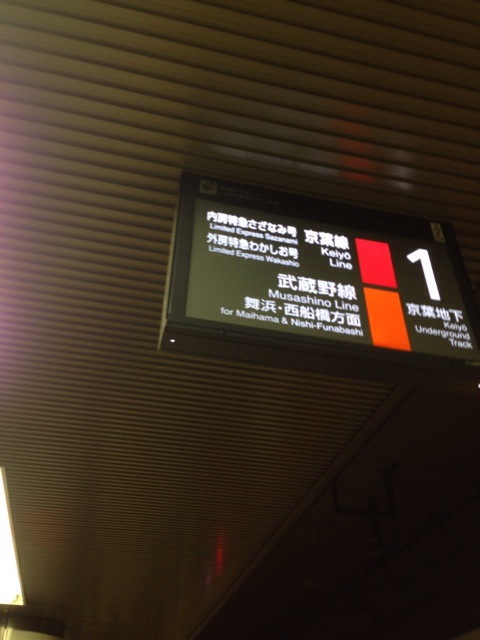
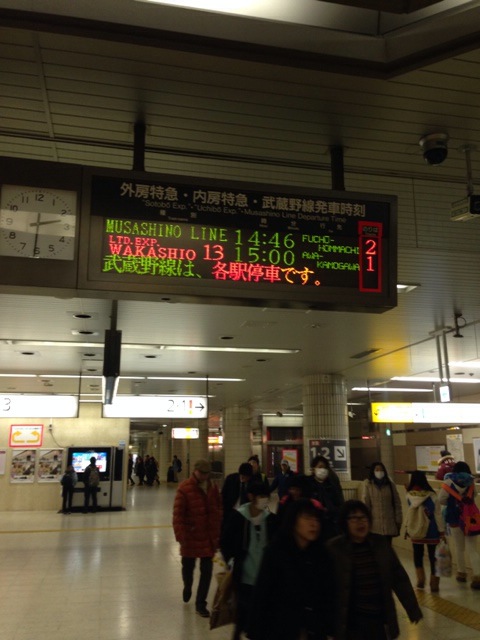
The ticket machines and signs do not refer to the Wakashio line. The Wakashio train leaves from the Keiyo line so look for those signs. Outside the Keiyo line you can buy a ticket at the ticket machines. Select “English”, “Limited Express tickets” and then Sotobo, Awa-Kamogawa. The Wakashio train, runs on the Sotobo line, leaving from the Keiyo line platform! Confusing.

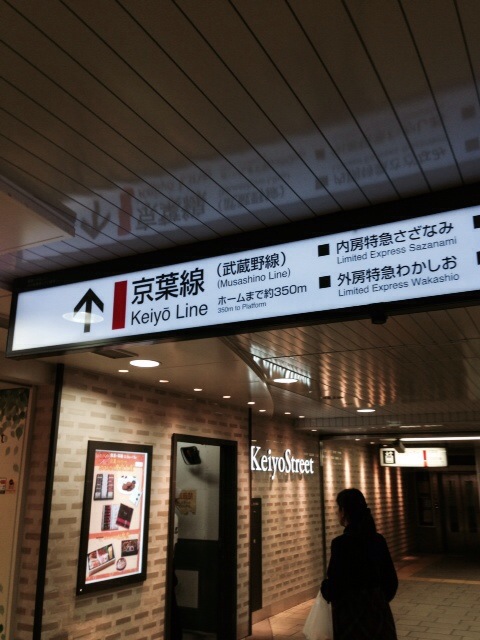
Once inside follow the directions to the Keiyo line. It’s quite a long way, but is well marked:

Category:
Uncategorized |
Comments Off on Getting to awa-kamogawa from Tokyo by train
December 25, 2014, 2:54 pm
JS code can manipuate memory directly using setValue, here’s a quick example of returning by reference. The C code is as follows:
#include <stdio.h>
#include <emscripten.h>
#include <string.h>

int main() {

  char buffer[10];
  strcpy(buffer,"nothing");

  int ret = EM_ASM_INT({
    return js_receive($0,$1,$2,$3);
  }, 1,buffer,3,4);

  printf("returned: %d\n",ret);
  printf("buffer  : %s\n",buffer);

  char call[100];
  strcpy(call,"alert('");
  strcat(call,buffer);
  strcat(call,"')");
  emscripten_run_script(call);
}
And can be called using the following JS which modifies the contents of buffer:
 <!DOCTYPE html>
<html>
<body>

<script>

function js_receive(a,b,c,d) {


  var bstr = Pointer_stringify(b);
  document.write(a + " " + bstr + " " + c + " " + d);

  setValue(b  ,  84, 'i8');
  setValue(b+1,  87, 'i8');
  setValue(b+2,  79, 'i8');
  setValue(b+3,   0, 'i8');

  return 42;
}

</script>

<script src="calljs.js"></script>


</body>
</html>
Category:
Uncategorized |
Comments Off on Emscripten calling JS from C and returning by reference (pointer)
December 24, 2014, 2:03 pm
A very simple for calling JS from C and returning a value. Create the following C program, in the file calljs.c, it makes a single call to js_receive which will be our Javascript function:
#include <stdio.h>
#include <emscripten.h>

int main() {
  int ret = EM_ASM_INT({
    return js_receive($0,$1,$2,$3);
  }, 1,"two",3,4);

  printf("returned: %d\n",ret);
}

compile it with: <pre>emcc calljs.c -o calljs.js</pre>

It will then call the JS code which can access the variables and string. Here's an example complete html file:

[sourcecode language="html"]
 <!DOCTYPE html>
<html>
<body>

<script>

function js_receive(a,b,c,d) {

  var bstr = Pointer_stringify(b);
  document.write(a + " " + bstr + " " + c + " " + d);

  return 42;
}

</script>

<script src="calljs.js"></script>

</body>
</html>
Category:
Uncategorized |
Comments Off on Calling JS from C using EM_ASM in Emscripten
December 23, 2014, 12:51 pm
Make sure emscripten is setup and on the path. First, get openssl and libssh2 configured:
export CC=emcc
wget https://www.openssl.org/source/openssl-1.0.1j.tar.gz
tar xvzf openssl-1.0.1j.tar.gz
cd openssl-1.0.1j
./Configure -no-asm -no-apps android
make
git clone git://git.libssh2.org/libssh2.git
cd libssh2
export CFLAGS="-I/home/new/gitcode/jterm/openssl-1.0.1j/include"
./configure --with-libssl-prefix=home/new/gitcode/jterm/openssl-1.0.1j
make
Compile some code!
cd examples
emcc ssh2.c -I../include -I../../openssl-1.0.1j/include -lssh2 -lssl -lcrypto  -L../../openssl-1.0.1j -L../src/.libs -static
Which results in a.out.js, but who knows if it does anything useful! I assume not! But it does run:
me@laptop:~/gitcode/jterm/libssh2/example$ nodejs ./a.out.js 127.0.0.1 user password
failed to connect!
Category:
Uncategorized |
Comments Off on Compiling OpenSSL and libssh2 with emscripten – notes
 RSS
RSS