Installing Nagios on Debian Jessie and SNMP (UPS) monitoring

sudo apt-get update;apt-get install nagios3 nagios-plugins nagios-nrpe-plugin apache2 snmp

You will be prompted to set a nagios password during installation. And can now navigate to http://localhost/nagios3/ to access nagios. The admin username is nagiosadmin, and the password is that which you set during installation.

The following is based on the example here. It’s probably better to refer to that for full APC UPS monitoring instructions. I’m going to be looking at monitoring the Arduino I previously setup.

Add the following to /etc/nagios3/:

cfg_file=/etc/nagios3/objects/ups.cfg

Then create the file /etc/nagios3/objects/ups.cfg, with the following contents (you will also need to create the objects directory):

###############################################################################
# HOST DEFINITIONS
###############################################################################
# Define the UPS that we'll be monitoring
define host{
	use				generic-host
	host_name			ArduinoVoltMon
	alias				Arduino Voltage Monitor
	notification_period		24x7
	check_period			24x7
#	contacts			nagiosadmin
	address				192.168.2.64
	}

###############################################################################
# HOST GROUP DEFINITIONS
###############################################################################
define hostgroup{
	hostgroup_name			ups
	alias				ups
	members				ArduinoVoltMon
	}

###############################################################################
# SERVICE DEFINITIONS
###############################################################################
# Ping UPS
define service{
	use				generic-service
	host_name			ArduinoVoltMon
	check_period		24x7
	notification_interval 10
	service_description           	PING
	check_command			check_ping!100.0,20%!500.0,60%
	}

define service{
	use				generic-service
	host_name			ArduinoVoltMon
	service_description           	UPS Capacity
	check_command			snmp_ups_capacity! -H $HOSTADDRESS$ -C public
	}

Then add the following to the end of /etc/nagios3/commands.cfg:

# 'snmp_ups_capacity' command definition
define command{
        command_name    snmp_ups_capacity
        command_line    $USER1$/check_snmp -H $HOSTADDRESS$ -C $ARG1$ -o .1.3.6.1.4.1.318.1.1.1.2.2.1.0 -l '\Battery Charge\' -u '\%\' 
        }

If you click on Services in Nagios you should now see the following:

ardvolt

I might try this with cacti next. Which in my previous experience seems a lot better than Nagios.

Posting to the Safecast API from the esp8266

As you may know Safecast run a community driven radiation monitoring network. I’ve been looking at using a esp8266 to upload radiation readings from a Geiger counter. The Safecast API is well documented here. And uses simple JSON post requests to send measurements. Before starting you need to login and obtain an API key. The API key authenticates you and allows you to upload measurements.

It doesn’t make sense to implement a whole HTTP client on the esp8266, so I’m just posting the data over a standard TCP connection. It’s also possible to post measurements using curl, e.g.:

curl "http://dev.safecast.org/measurements.json?api_key=YOURKEY" -v -X POST -H 'User-Agent: Arduino' -H "Content-Type: application/json" -d '{"longitude":"119.7447","latitude":"32.6617","device_id":"47","value":"6","unit":"cpm"}'

I grabbed this season with wireshark, here’s what the client side transmission looks like:

POST /measurements.json?api_key=YOURKEY HTTP/1.1
Host: dev.safecast.org
Accept: */*
User-Agent: Arduino
Content-Type: application/json
Content-Length: 88

{"longitude":"119.7447","latitude":"32.6617","device_id":"47","value":"63","unit":"cpm"}

The ESP8266 code posts to the API and dumps the returned tcp data over serial for example (I’ve randomized the session keys):

IP: 192.168.0.8looklokkDST: 107.161.162.75conncendsentrecvHTTP/1.1 201 Created
Content-Type: application/json; charset=utf-8
Transfer-Encoding: chunked
Connection: keep-alive
Status: 201 Created
Location: http://dev.safecast.org/en-US/measurements/161114
X-UA-Compatible: IE=Edge
ETag: "73984732984feafefe76876"
Cache-Control: max-age=0, private, must-revalidate
Set-Cookie: _safecast_session=UISAHFUIHAFiudhfuishfiudshfdsuihfsiUfihdaFUIDHFDS
X-Runtime: 0.066836
X-Powered-By: Phusion Passenger 4.0.53
Date: Thu, 01 Jan 2015 11:27:25 GMT
Server: nginx/1.6.2 + Phusion Passenger 4.0.53

recva9
{"captured_at":null,"device_id":47,"id":161114,"location_name":null,"original_id":161114,"unit":"c}
recv0

If everything worked, you should see the submission when you login e.g.

submission_safecast

The code is below, it’s a modification of that shown yesterday:

#include "ets_sys.h"
#include "osapi.h"
#include "gpio.h"
#include "os_type.h"
#include "user_config.h"
#include "user_interface.h"
#include "uart.h"

#include "c_types.h"
#include "espconn.h"
#include "mem.h"/
//#include "user_network.h"
//#include "user_display.h"

#define user_procTaskPrio        0
#define user_procTaskQueueLen    1
os_event_t    user_procTaskQueue[user_procTaskQueueLen];
static void loop(os_event_t *events);

//Main code function
static void ICACHE_FLASH_ATTR
loop(os_event_t *events)
{
    os_printf("Hello\n\r");
    os_delay_us(10000);
    system_os_post(user_procTaskPrio, 0, 0 );
}

static void ICACHE_FLASH_ATTR networkConnectedCb(void *arg);
static void ICACHE_FLASH_ATTR networkDisconCb(void *arg);
static void ICACHE_FLASH_ATTR networkReconCb(void *arg, sint8 err);
static void ICACHE_FLASH_ATTR networkRecvCb(void *arg, char *data, unsigned short len);
static void ICACHE_FLASH_ATTR networkSentCb(void *arg);
void ICACHE_FLASH_ATTR network_init();

LOCAL os_timer_t network_timer;

static void ICACHE_FLASH_ATTR networkServerFoundCb(const char *name, ip_addr_t *ip, void *arg) {
  static esp_tcp tcp;
  struct espconn *conn=(struct espconn *)arg;
  if (ip==NULL) {
    os_printf("Nslookup failed :/ Trying again...\n");
    uart0_tx_buffer("lfai",4);
    network_init();
  }

  uart0_tx_buffer("lokk",4);
  char page_buffer[20];
  os_sprintf(page_buffer,"DST: %d.%d.%d.%d",
  *((uint8 *)&ip->addr), *((uint8 *)&ip->addr + 1),
  *((uint8 *)&ip->addr + 2), *((uint8 *)&ip->addr + 3));
  uart0_tx_buffer(page_buffer,strlen(page_buffer));

  conn->type=ESPCONN_TCP;
  conn->state=ESPCONN_NONE;
  conn->proto.tcp=&tcp;
  conn->proto.tcp->local_port=espconn_port();
  conn->proto.tcp->remote_port=80;
  os_memcpy(conn->proto.tcp->remote_ip, &ip->addr, 4);
  espconn_regist_connectcb(conn, networkConnectedCb);
  espconn_regist_disconcb(conn, networkDisconCb);
  espconn_regist_reconcb(conn, networkReconCb);
  espconn_regist_recvcb(conn, networkRecvCb);
  espconn_regist_sentcb(conn, networkSentCb);
  espconn_connect(conn);
}

static void ICACHE_FLASH_ATTR networkSentCb(void *arg) {
  uart0_tx_buffer("sent",4);
}

static void ICACHE_FLASH_ATTR networkRecvCb(void *arg, char *data, unsigned short len) {

  uart0_tx_buffer("recv",4);
  
  struct espconn *conn=(struct espconn *)arg;
  int x;
  uart0_tx_buffer(data,len);
}

static void ICACHE_FLASH_ATTR networkConnectedCb(void *arg) {

  uart0_tx_buffer("conn",4);
  struct espconn *conn=(struct espconn *)arg;

  char transmission[1024];

  char *header = "POST /measurements.json?api_key=YOURKEY HTTP/1.1\r\n"
                 "Host: dev.safecast.org\r\n"
                 "Accept: */*\r\n"
                 "User-Agent: Arduino\r\n"
                 "Content-Type: application/json\r\n"
                 "Content-Length: ";
 
  char *json = "{\"longitude\":\"111.1111\",\"latitude\":\"11.1111\",\"device_id\":\"47\",\"value\":\"63\",\"unit\":\"cpm\"}";
 
  int head_len = strlen(header);
  int json_len = strlen(json);

  char json_len_str[10];
  os_sprintf(json_len_str,"%d",json_len);
  int json_len_str_len = strlen(json_len_str);

  strcpy(transmission,header);
  strcpy(transmission+head_len,json_len_str);
  strcpy(transmission+head_len+json_len_str_len,"\r\n\r\n");
  strcpy(transmission+head_len+json_len_str_len+4,json);

  sint8 d = espconn_sent(conn,transmission,strlen(transmission));

  espconn_regist_recvcb(conn, networkRecvCb);
  uart0_tx_buffer("cend",4);
}

static void ICACHE_FLASH_ATTR networkReconCb(void *arg, sint8 err) {
  uart0_tx_buffer("rcon",4);
}

static void ICACHE_FLASH_ATTR networkDisconCb(void *arg) {
  uart0_tx_buffer("dcon",4);
}


void ICACHE_FLASH_ATTR network_start() {
  static struct espconn conn;
  static ip_addr_t ip;
  os_printf("Looking up server...\n");
    uart0_tx_buffer("look",4);
  espconn_gethostbyname(&conn, "dev.safecast.org", &ip, networkServerFoundCb);
}

void ICACHE_FLASH_ATTR network_check_ip(void) {
  struct ip_info ipconfig;
  os_timer_disarm(&network_timer);
  wifi_get_ip_info(STATION_IF, &ipconfig);
  if (wifi_station_get_connect_status() == STATION_GOT_IP && ipconfig.ip.addr != 0) {
    char page_buffer[20];
    os_sprintf(page_buffer,"IP: %d.%d.%d.%d",IP2STR(&ipconfig.ip));
    uart0_tx_buffer(page_buffer,strlen(page_buffer));
    network_start();
  } else {
    os_printf("No ip found\n\r");
    os_timer_setfn(&network_timer, (os_timer_func_t *)network_check_ip, NULL);
    os_timer_arm(&network_timer, 1000, 0);
  }
}

void ICACHE_FLASH_ATTR network_init() {
  os_timer_disarm(&network_timer);
  os_timer_setfn(&network_timer, (os_timer_func_t *)network_check_ip, NULL);
  os_timer_arm(&network_timer, 1000, 0);
}

//Init function 
void ICACHE_FLASH_ATTR user_init() {

    uart_init(BIT_RATE_9600,BIT_RATE_9600);
    char ssid[32] = SSID;
    char password[64] = SSID_PASSWORD;
    struct station_config stationConf;

    //Set station mode
    wifi_set_opmode( 0x1 );

    //Set ap settings
    os_memcpy(&stationConf.ssid, ssid, 32);
    os_memcpy(&stationConf.password, password, 64);
    wifi_station_set_config(&stationConf);

    uart0_tx_buffer("init",4);

    //Start os task
    system_os_task(loop, user_procTaskPrio,user_procTaskQueue, user_procTaskQueueLen);

    system_os_post(user_procTaskPrio, 0, 0 );

    network_init();
}

esp8266 client mode (connect to remote host) simple example

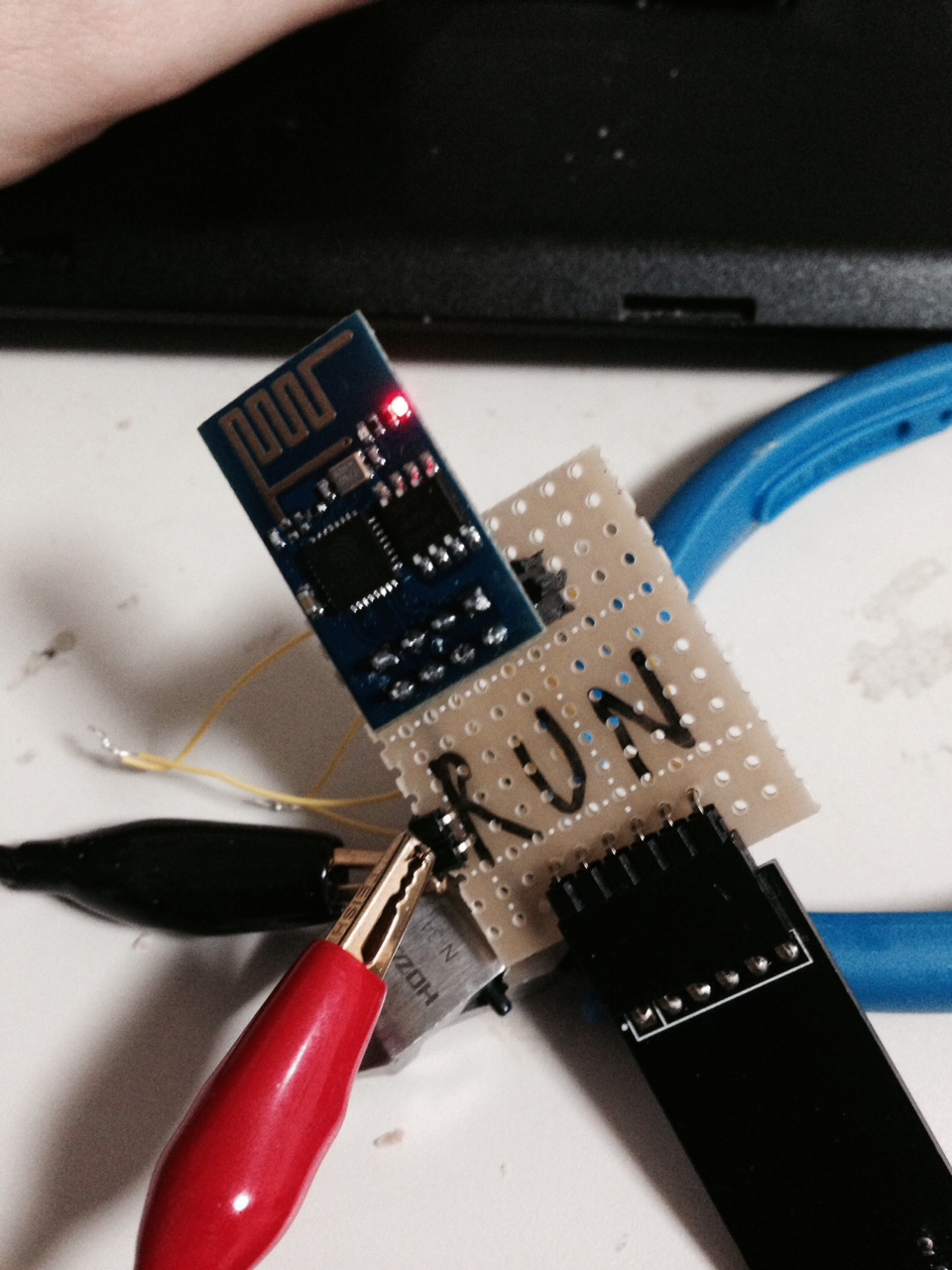
esp8266run

Today I’ve been looking at getting the esp8266 working as a Wifi client and seeing if I could fetch some data. This builds on my previous notes on flashing the esp8266. There’s some great info here which the code below is based on, with modifications to fetch a page from a remote host.

Setting the SSID and password for the host network is pretty easy, and I based the code below on the “basic_example”, supplied with the SDK. Once configured the board will get an IP over DHCP, and configure it’s resolver. It will also respond to ping requesting, which can be a useful debugging tool.

In order to try things out, I wrote a simple program which fetches the google homepage a prints it out over the serial port. The complete tarball can be downloaded here. And when run it will print out the following:

IP: 192.168.0.8looklokkDST: 173.194.126.178conncendsentrecvHTTP/1.0 302 Found
Cache-Control: private
Content-Type: text/html; charset=UTF-8
Location: http://www.google.co.jp/?gfe_rd=cr&ei=BBmkVMK6NKGT8QfRqIDwAw
Content-Length: 261
Date: Wed, 31 Dec 2014 15:40:52 GMT
Server: GFE/2.0
Alternate-Protocol: 80:quic,p=0.02
<HTML><HEAD><meta http-equiv="content-type" content="text/html;charset=utf-8">
                                                                              <T>
                                                                                >
                                                                                d
                                                                                .
</BODY></HTML>
dcon

You’ll need to change user_config.h to contain your networks SSID and password e.g.:

#define SSID "NETWORKNAME"
#define SSID_PASSWORD "NETWORKPASSWORD"

user_main.c is also reproduced below for reference. You also need the uart code from the SDK and uart.c needs to be compiled in. There were a few gotcha when writing this, the first is that the serial port seems to be configured for a rather odd 77Kbps. So it makes sense to reconfigure the serial port to a more sensible value straight away (I used 9600). It’s also not yet clear to me where the os_printf output goes. I used uart0_tx_buffer for all my debug output.

Another issue I had is that the esp8266 seems to be quite finicky about how it’s various pins are set at boot. I couldn’t get the board to come up with my FTDI serial cable attached. I had to first boot the device from a bench supply (using the “run” board in my previous notes). And then connect the serial cable after it started booting. Luckily there’s just enough time before it completes it’s wifi connection to do this so I can see the debug output (only just though, it boots and gets connected to wifi very quickly).

Anyway for reference, here’s the code. If you want to try it out checkout the tarball linked above.

#include "ets_sys.h"
#include "osapi.h"
#include "gpio.h"
#include "os_type.h"
#include "user_config.h"
#include "user_interface.h"
#include "uart.h"

#include "c_types.h"
#include "espconn.h"
#include "mem.h"
//#include "user_network.h"
//#include "user_display.h"

#define user_procTaskPrio        0
#define user_procTaskQueueLen    1
os_event_t    user_procTaskQueue[user_procTaskQueueLen];
static void loop(os_event_t *events);

//Main code function
static void ICACHE_FLASH_ATTR
loop(os_event_t *events)
{
    os_printf("Hello\n\r");
    os_delay_us(10000);
    system_os_post(user_procTaskPrio, 0, 0 );
}

static void ICACHE_FLASH_ATTR networkConnectedCb(void *arg);
static void ICACHE_FLASH_ATTR networkDisconCb(void *arg);
static void ICACHE_FLASH_ATTR networkReconCb(void *arg, sint8 err);
static void ICACHE_FLASH_ATTR networkRecvCb(void *arg, char *data, unsigned short len);
static void ICACHE_FLASH_ATTR networkSentCb(void *arg);
void ICACHE_FLASH_ATTR network_init();

LOCAL os_timer_t network_timer;

static void ICACHE_FLASH_ATTR networkServerFoundCb(const char *name, ip_addr_t *ip, void *arg) {
  static esp_tcp tcp;
  struct espconn *conn=(struct espconn *)arg;
  if (ip==NULL) {
    os_printf("Nslookup failed :/ Trying again...\n");
    uart0_tx_buffer("lfai",4);
    network_init();
  }

  uart0_tx_buffer("lokk",4);
  char page_buffer[20];
  os_sprintf(page_buffer,"DST: %d.%d.%d.%d",
  *((uint8 *)&ip->addr), *((uint8 *)&ip->addr + 1),
  *((uint8 *)&ip->addr + 2), *((uint8 *)&ip->addr + 3));
  uart0_tx_buffer(page_buffer,strlen(page_buffer));

  conn->type=ESPCONN_TCP;
  conn->state=ESPCONN_NONE;
  conn->proto.tcp=&tcp;
  conn->proto.tcp->local_port=espconn_port();
  conn->proto.tcp->remote_port=80;
  os_memcpy(conn->proto.tcp->remote_ip, &ip->addr, 4);
  espconn_regist_connectcb(conn, networkConnectedCb);
  espconn_regist_disconcb(conn, networkDisconCb);
  espconn_regist_reconcb(conn, networkReconCb);
  espconn_regist_recvcb(conn, networkRecvCb);
  espconn_regist_sentcb(conn, networkSentCb);
  espconn_connect(conn);
}

static void ICACHE_FLASH_ATTR networkSentCb(void *arg) {
  uart0_tx_buffer("sent",4);
}

static void ICACHE_FLASH_ATTR networkRecvCb(void *arg, char *data, unsigned short len) {

  uart0_tx_buffer("recv",4);
  
  struct espconn *conn=(struct espconn *)arg;
  int x;
  uart0_tx_buffer(data,len);
  //for (x=0; x<len; x++) networkParseChar(conn, data[x]);
}

static void ICACHE_FLASH_ATTR networkConnectedCb(void *arg) {

  uart0_tx_buffer("conn",4);
  struct espconn *conn=(struct espconn *)arg;

  char *data = "GET / HTTP/1.0\r\n\r\n\r\n";
  sint8 d = espconn_sent(conn,data,strlen(data));

  espconn_regist_recvcb(conn, networkRecvCb);
  uart0_tx_buffer("cend",4);
}

static void ICACHE_FLASH_ATTR networkReconCb(void *arg, sint8 err) {
  uart0_tx_buffer("rcon",4);
//  os_printf("Reconnect\n\r");
//  network_init();
}

static void ICACHE_FLASH_ATTR networkDisconCb(void *arg) {
  uart0_tx_buffer("dcon",4);
//  os_printf("Disconnect\n\r");
//  network_init();
}


void ICACHE_FLASH_ATTR network_start() {
  static struct espconn conn;
  static ip_addr_t ip;
  os_printf("Looking up server...\n");
    uart0_tx_buffer("look",4);
  espconn_gethostbyname(&conn, "www.google.com", &ip, networkServerFoundCb);
}

void ICACHE_FLASH_ATTR network_check_ip(void) {
  struct ip_info ipconfig;
  os_timer_disarm(&network_timer);
  wifi_get_ip_info(STATION_IF, &ipconfig);
  if (wifi_station_get_connect_status() == STATION_GOT_IP && ipconfig.ip.addr != 0) {
    char page_buffer[20];
    os_sprintf(page_buffer,"IP: %d.%d.%d.%d",IP2STR(&ipconfig.ip));
    uart0_tx_buffer(page_buffer,strlen(page_buffer));
    network_start();
  } else {
    os_printf("No ip found\n\r");
    os_timer_setfn(&network_timer, (os_timer_func_t *)network_check_ip, NULL);
    os_timer_arm(&network_timer, 1000, 0);
  }
}

void ICACHE_FLASH_ATTR network_init() {
  os_timer_disarm(&network_timer);
  os_timer_setfn(&network_timer, (os_timer_func_t *)network_check_ip, NULL);
  os_timer_arm(&network_timer, 1000, 0);
}

//Init function 
void ICACHE_FLASH_ATTR user_init() {

    uart_init(BIT_RATE_9600,BIT_RATE_9600);
    char ssid[32] = SSID;
    char password[64] = SSID_PASSWORD;
    struct station_config stationConf;

    //Set station mode
    wifi_set_opmode( 0x1 );

    //Set ap settings
    os_memcpy(&stationConf.ssid, ssid, 32);
    os_memcpy(&stationConf.password, password, 64);
    wifi_station_set_config(&stationConf);

    uart0_tx_buffer("init",4);

    //Start os task
    system_os_task(loop, user_procTaskPrio,user_procTaskQueue, user_procTaskQueueLen);

    system_os_post(user_procTaskPrio, 0, 0 );

    network_init();
}

Paldio パルダイオ 623P

paldio2

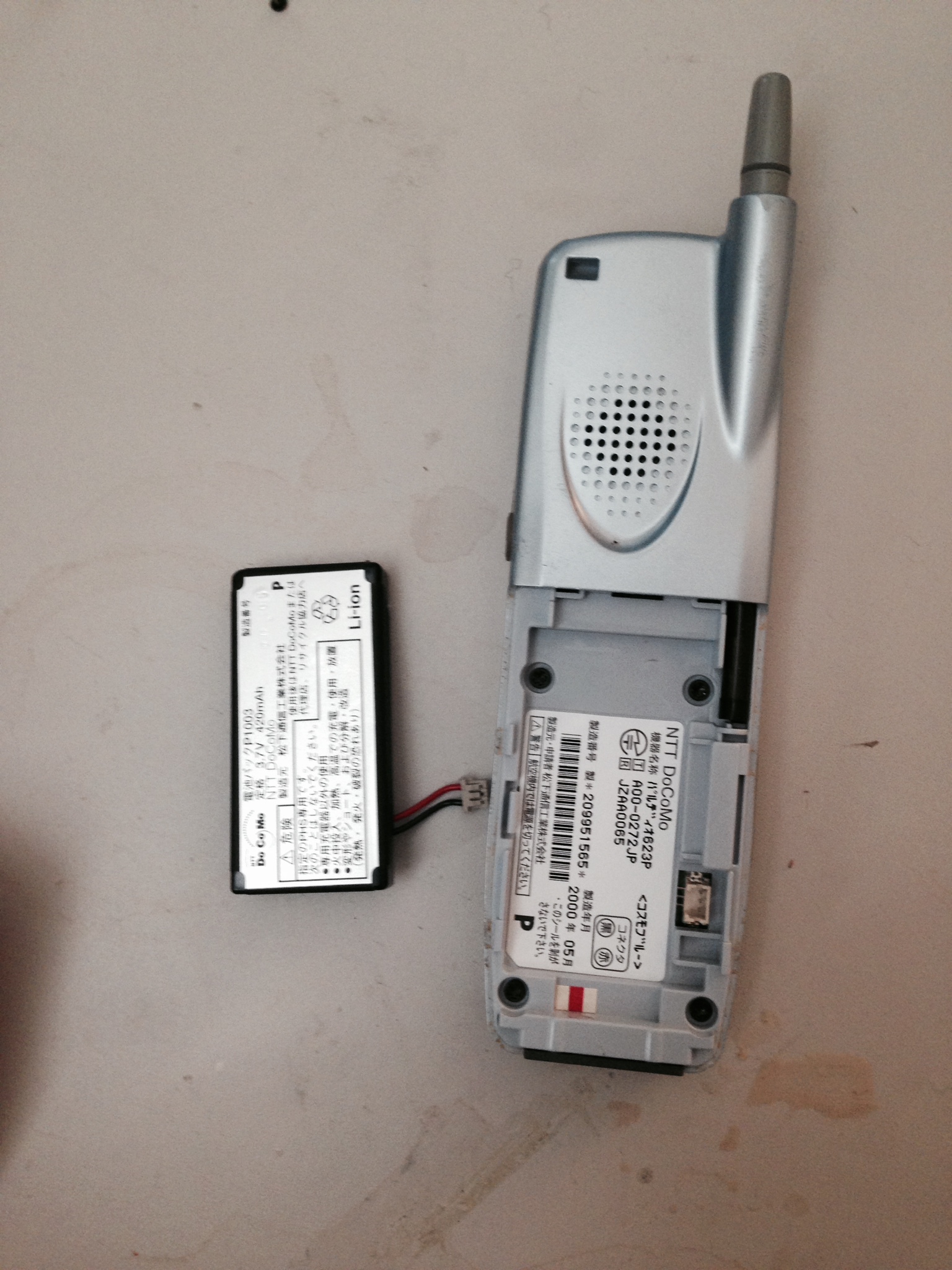
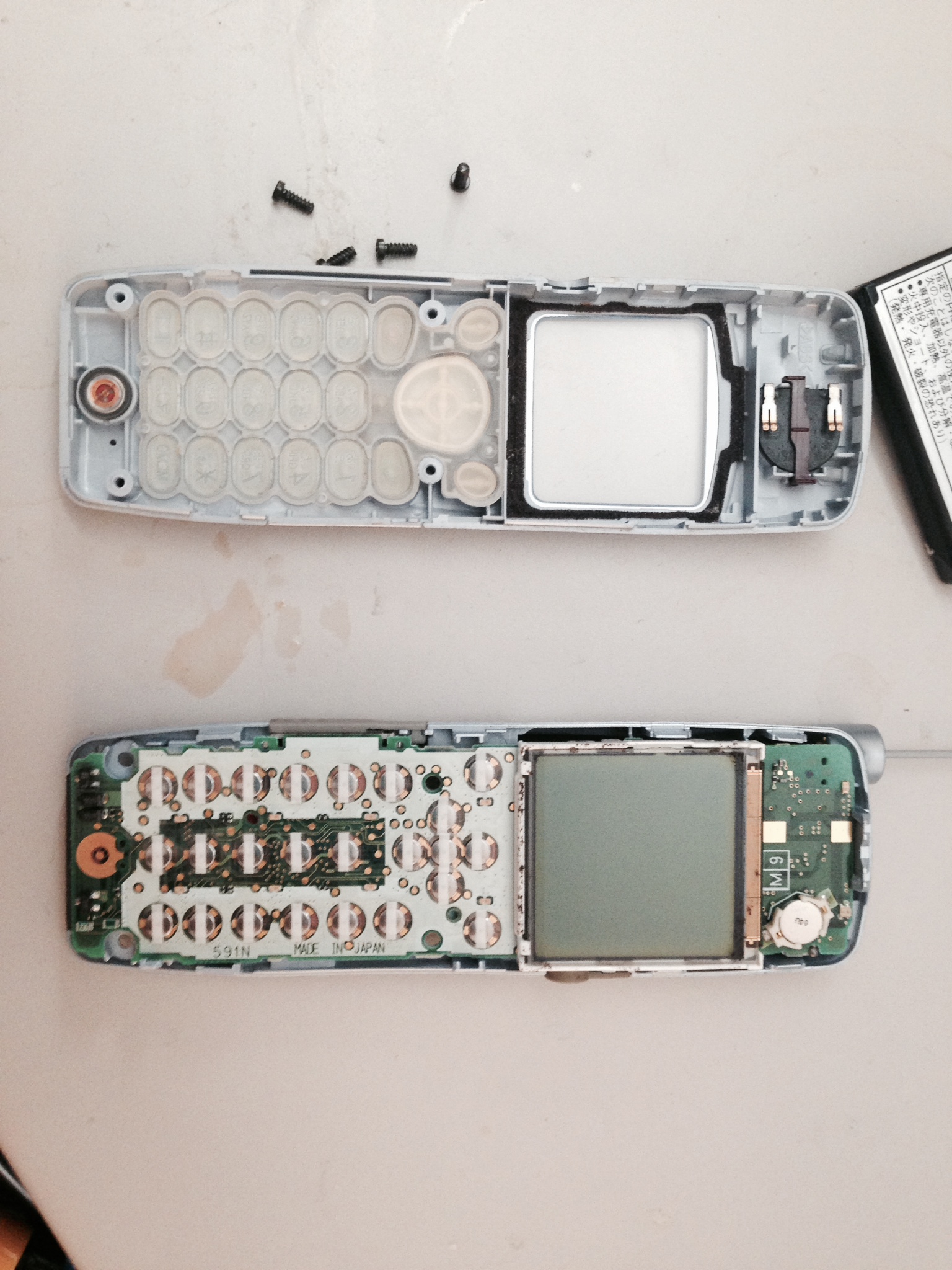
I found this phone out by the junk and figured I’d grab it for parts. It’s a year 2000, I believe CDMA DoCoMo mobile phone. A real product for the Japanese electronics ecosystem using Japanese parts almost exclusively, though I don’t know if it was assembled domestically.

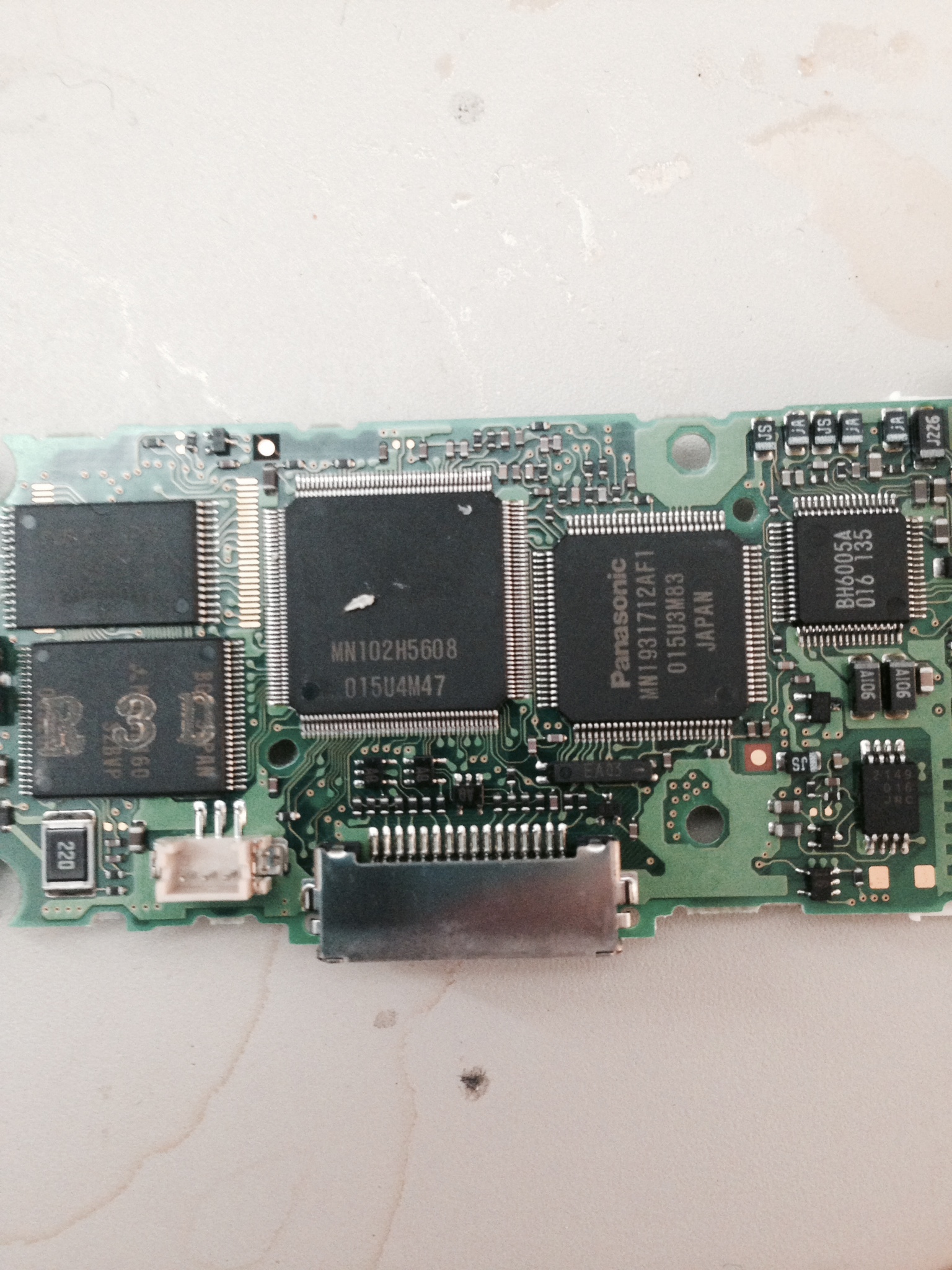
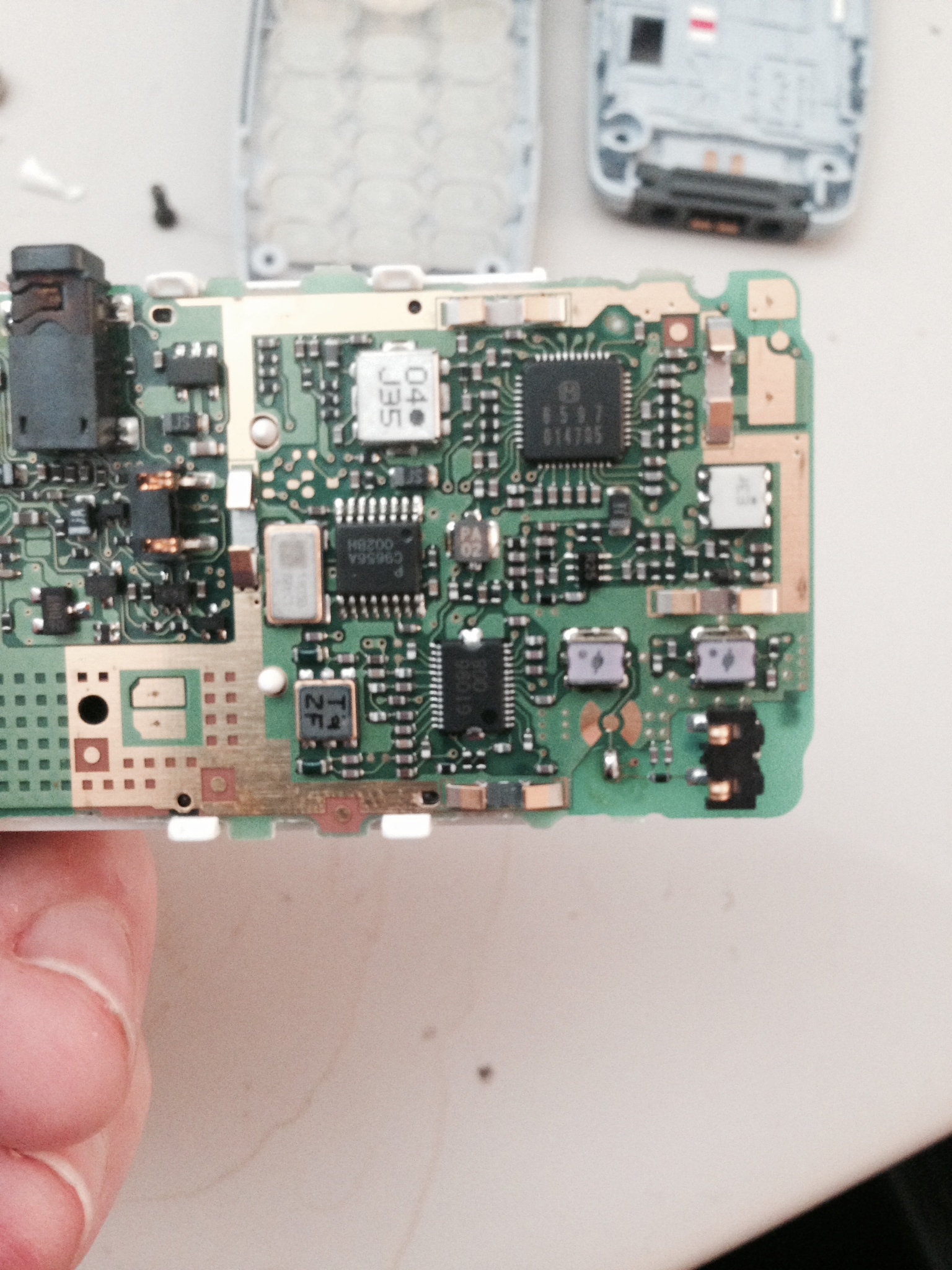
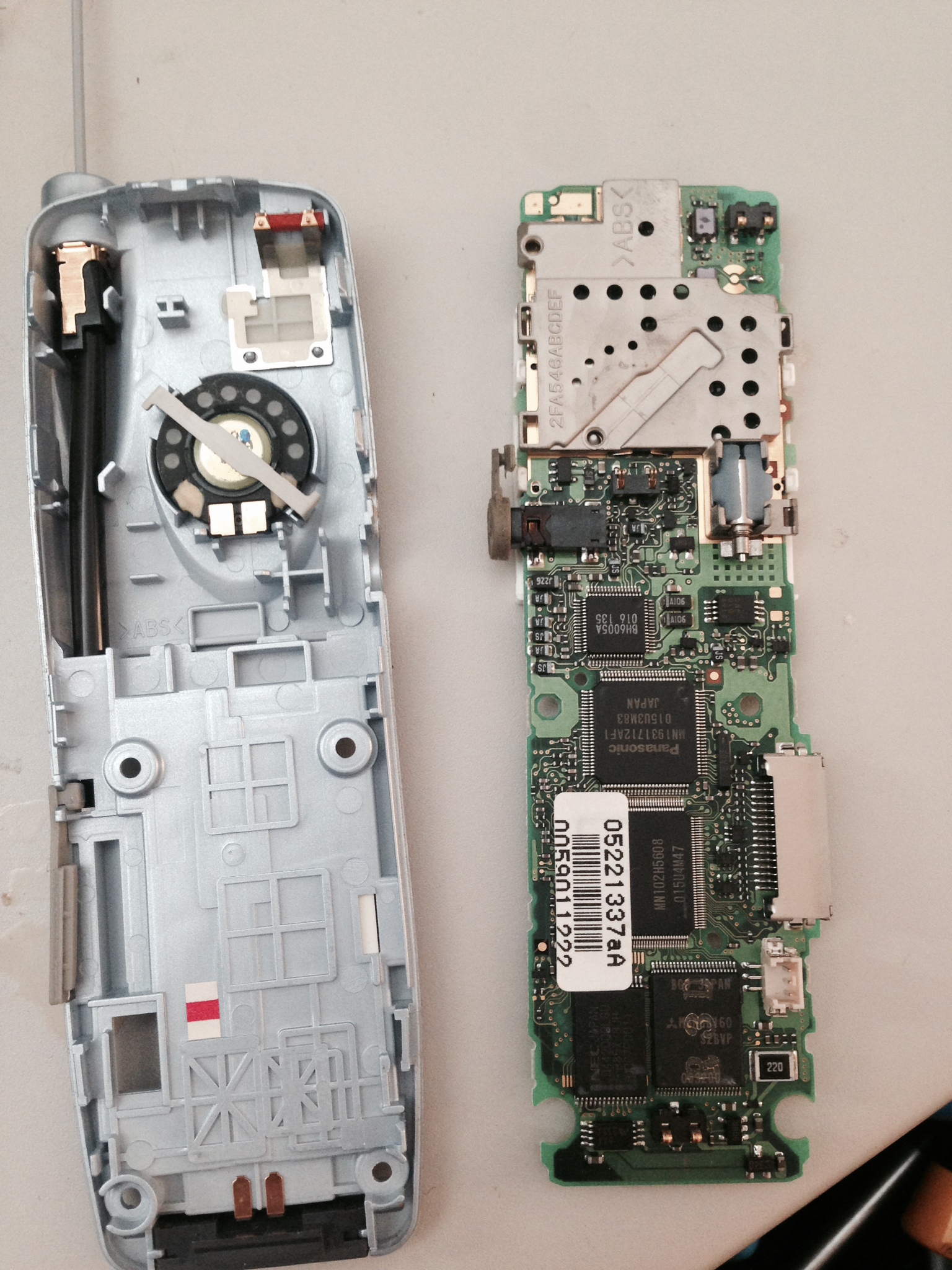
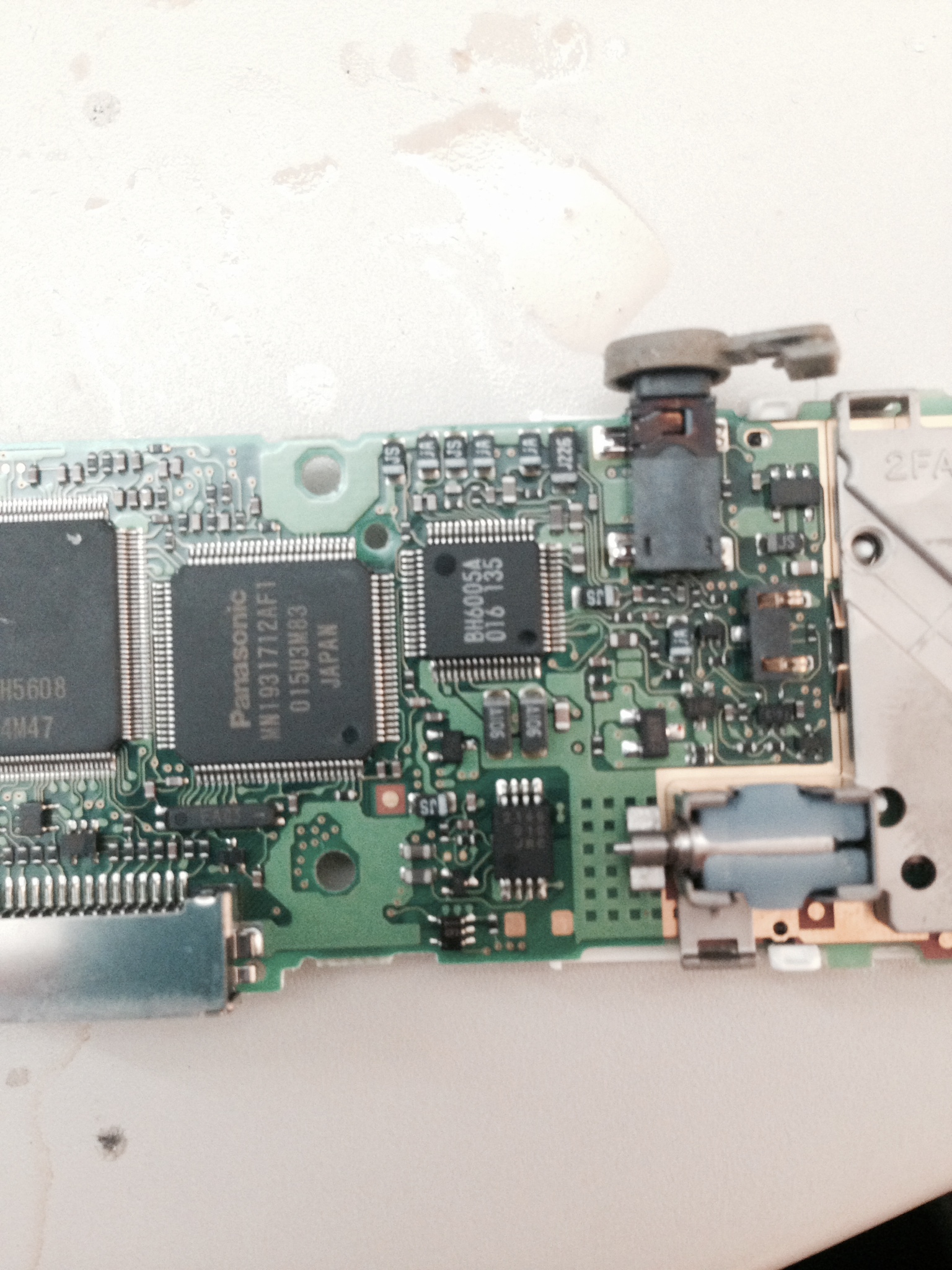
It contains the following notable ICs:

Panasonic MN1931712AF1: listed online as “ASIC” no other information available
MN102H5608: No idea, I’d guess also a Panasonic part
NEC 0442000LGU: I’d guess DRAM? but no info available online.
Mitsubishi M6MGB160: 2Mb 3.3V Flash IC.

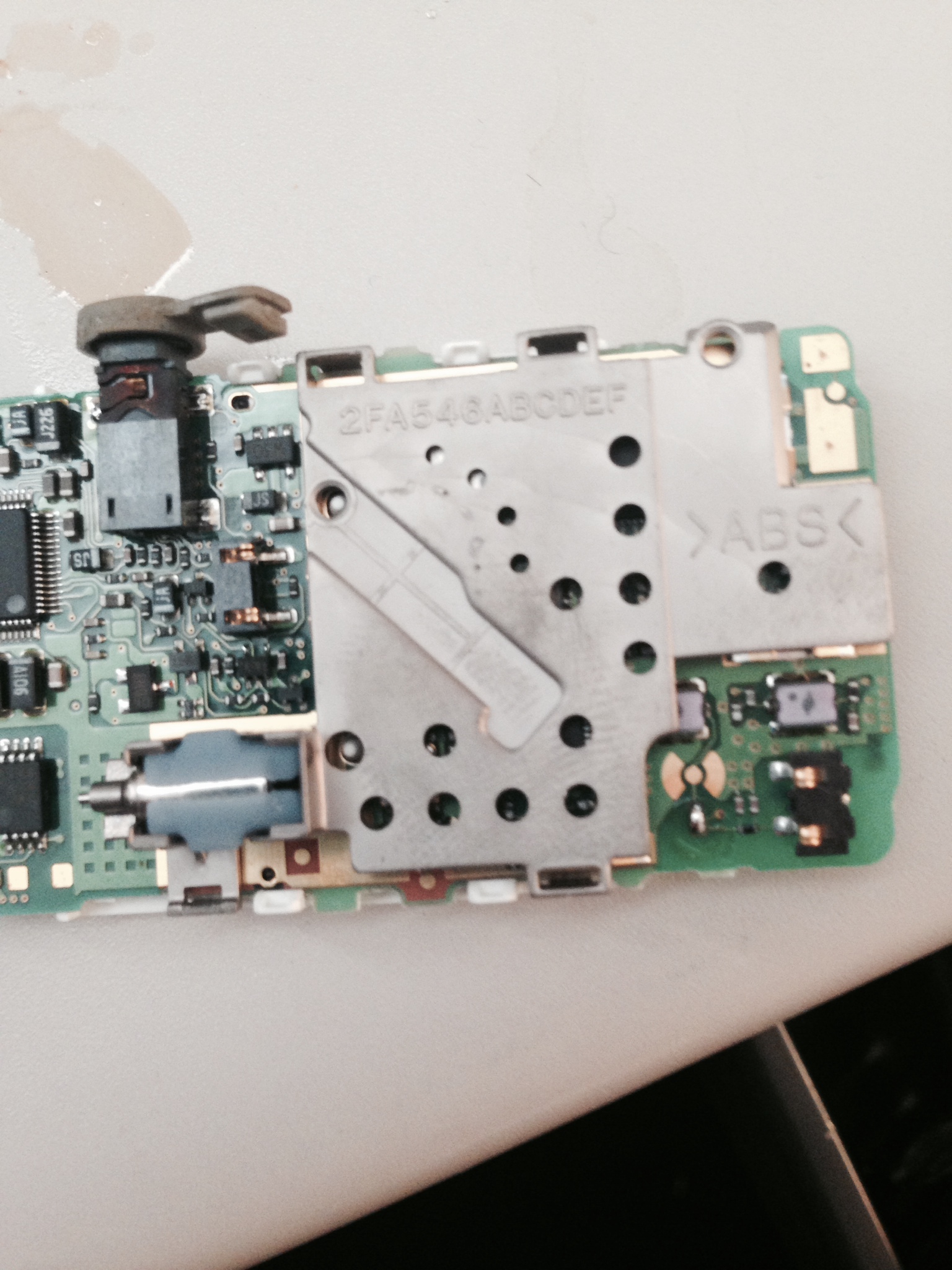
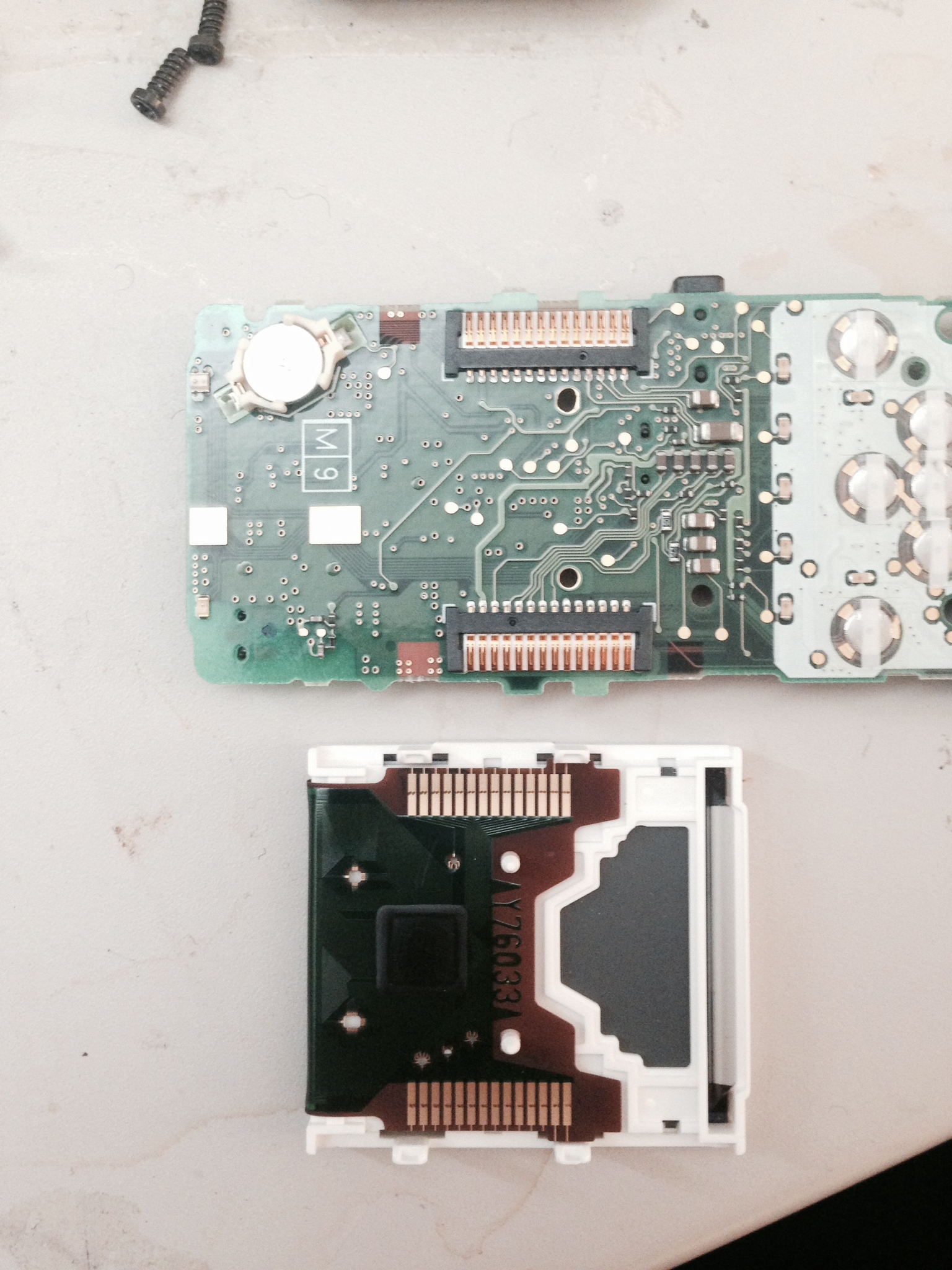
In addition to that it of course contains a vibrator motor, condenser mic, speaker etc. They’ll all go in the junk bin probably never to be seen again, but it was an entertaining journey into the early 2000s Japanese phone ecosystem.

paldio1

paldio3

paldio4

paldio5

paldio6

paldio7

paldio8

paldio9