AD5791 Arduino Shield Rev 2
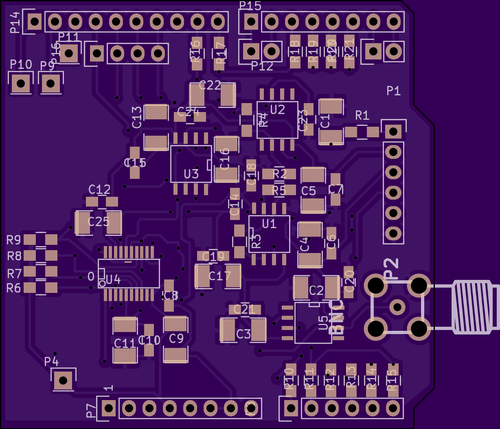
Updated the AD5791 board with the revisions from yesterday and sent it to fab.
Kicad files: ad5791.tar
My contribution to the increasing entropy, and eventual heat death of the universe
Updated the AD5791 board with the revisions from yesterday and sent it to fab.
Kicad files: ad5791.tar
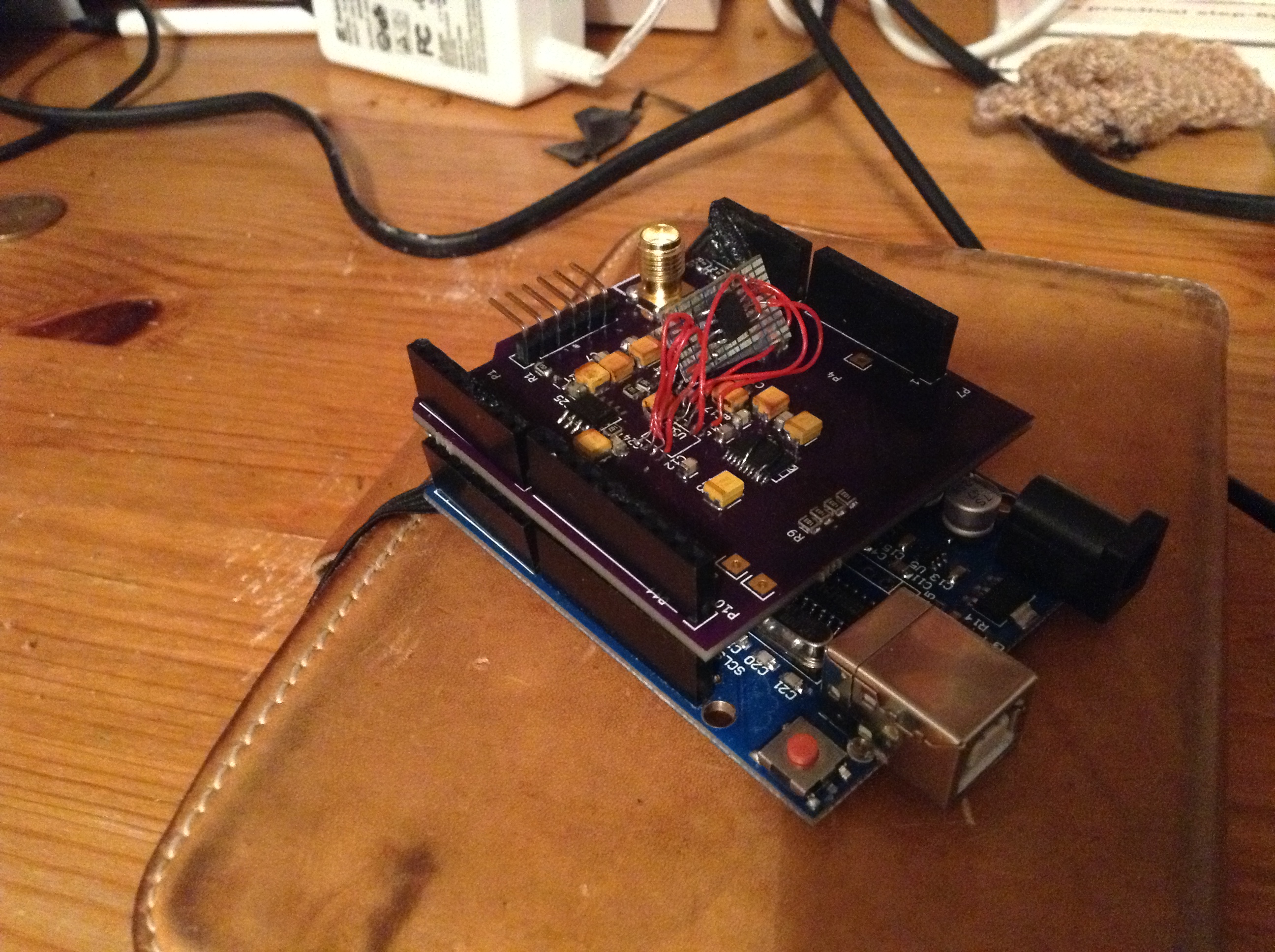 I received the AD5791 Arduino shield PCBs from the fab today. And built them up. There are a number of revisions that I’ll need to make:
I patched the board and it appears to work. I’m slightly concerned out the output buffer opamp. For some reason it seems to have gain, which causes issues. A new rev is required anyway…
In the past when I’ve received calls from people claiming to be “computer support” I usually just hang up as it’s an obvious scam. However this time I decided to see how it plays out a bit. Kind of tricky as I don’t have an active Windows or Mac but they didn’t seem too concerned about the details. The scam is obviously designed to play on people who lack experience with computers. The endgame for me was to try to get me to download a remote access tool. Along the way, they tried another site which didn’t work. Here are my notes:
Scammer [Indian accent, poor English skills]: I’m from computer support, we’re the international support company for your computer for both Windows and Mac. I’m calling today because your computer has a lot of viruses and malware and we can remove the viruses.
Me: Oh right… That sounds bad.
Scammer: What happens is your computer has got a lot of viruses from when you surf the Internet and Facebook and we need to remove the viruses. [Actual quote: Internet is the open traffic for all these errors and warnings.]
Me: Oh ok. What can we do?
Scammer: What kind of computer do you have?
Me: It’s a windows computer.
Scammer: Can you go to your computer and turn it on?
Me: Yea it’s here, it’s on.
Scammer: What can you see?
Me: It’s just the normal desktop.
Scammer: Can you see a key on the bottom right of your keyboard labelled C. T. R. L.
Me: Yea
Scammer: What’s next to that key?
Me [srammble to find an actual keyboard]: Oh it’s got like little boxes. Oh is that, I think it’s the Windows logo.
Scammer: Could you press the C.T.R.L key and that key and R at the same time.
Me: Right yea, ok yea done that.
Scammer: What happened.
Me [err that’s the run box right?]: Oh err a little box came up. It says “Run”.
Scammer: Can you see it says “open” and there’s an “ok” box. And a white box.
Me: Yea
Scammer: Is there anything in the box?
Me: No.
Scammer: Could you type E V E N T V W R in the box (took ages used phonetic spelling for each letter).
Me: Yea…
Scammer: press ok.
Me: ok…
Scammer: What happened?
Me: Oh a thing came up, it says “Event Viewer”.
Scammer: ok, on the left under “Event Viewer (local)” what does it say.
Me [shit I don’t know]: Oh is it err user… Um.. Hang on let me get my glasses.
Me [googling event view in Windows XP]: It says “Application”.
Scammer: [random faffing around as he didn’t like me saying “Application” but we got there in the end].
Scammer: ok, do you see all and red and yellow icons to the right.
Me: Yea.
Scammer: Each one of those is a virus infecting your system. And do you see the “Event ID” next to it, that’s the number of files that was infected.
Me: Oh no, that’s really bad. What can we do? [can we get to the payload already].
Scammer: ok now can you right-click. What do you see?
Me [googles]: Um it says err properties.
Scammer: ok can you click that.
Me [this back and forth about different errors went on for ages actually]: oh it’s about Outlook hanging.
Scammer: Ok, now right click again. Can you see any option labeled “delete” or “remove”.
Me: No.
Scammer: See that’s the problem, because you have so many errors viruses has disabled the ability to remove the viruses [what?!?]. So you need us to remove them.
Scammer: Now the absolute max number of virus your computer can take is 100. If you get more then you have a really bad problem.
Me: Oh ok.
Scammer: Can you see a number at the top? Should be a number followed by “events”.
Me: Yea it says 42000 and something 42312.
Scammer: Wow! That’s a lot of viruses so we really have to do something about that.
Me: Yea, wow. Ok it’s been slow so I guess that’s why.
Scammer: ok can you ctrl-win-R again.
Me: ok.
Scammer: now enter w w w . c i n y u r l . c o m / d 9 d s f h x
Me: ok.
Scammer: now press enter.
Me [probably he meant tinyurl and actually just confirmed it redirects to teamviewer anyway, but we did confirm the “c” twice]: Oh it just says domain for sale.
Scammer [same prelude again]: ok now enter: w w w . t e a m v i e w e r . c o m.
Me: ok…
Scammer: ok do you see a picture of a pretty lady and a box that says download.
Me: Yes.
Scammer: and below that it says “start remote session”. please click that.
Me: Ok.
Scammer: What’s happening.
Me: Oh it’s downloading something.
Scammer: Ok great.
Me: Ok, at this point it’s clear your going to get me to download a remote access tool to access my computer. Anyway this is obviously a scam and I’ve just been trying to waste your take and I’m going to ring off now [we’d been on the phone for about 25mins].
It was a shame that the payload was so boring. I have to remember to have a windows PC near the phone so that I can take the scam a bit further next time.
[UPDATE: They rang back today. We had a nice chat, and I asked them why they do this scam and what the pay off is, and what they install after teamviewer but we didn’t really get anywhere. I did try and help him out with his English where possible, but he kept claiming to be a native English speaker. In fact after the first guy got bored and hung up and second guy called claiming to be from “BT Support” we had a nice chat too and I said he should try and find another job. He said I should tell everyone about the scam if I think it’s a scam, and I said I had… Then he said “I’ll take 1000 pounds from your country every day” and hung up… hmm nice chap.]
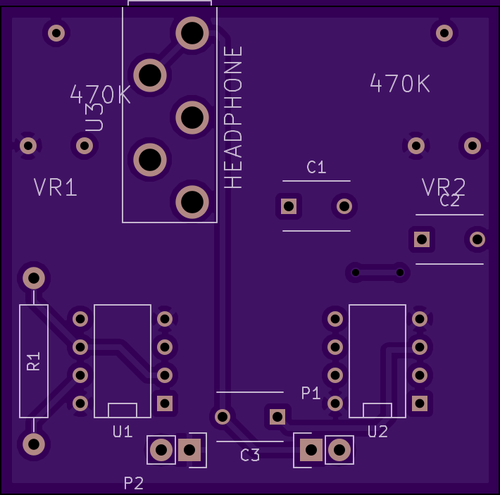
Another quick layout, this time the Atari Punk Console. It’s a couple of 555s and 2 variable resistors. Anyway, it’s supposed to sound kind of cool. Out to fab, so we’ll see how it works out. I think the headphone socket might need revising.
Kicad files: AtariPunkConsole.tar
 RSS
RSS