Laser CNC from Bluray parts
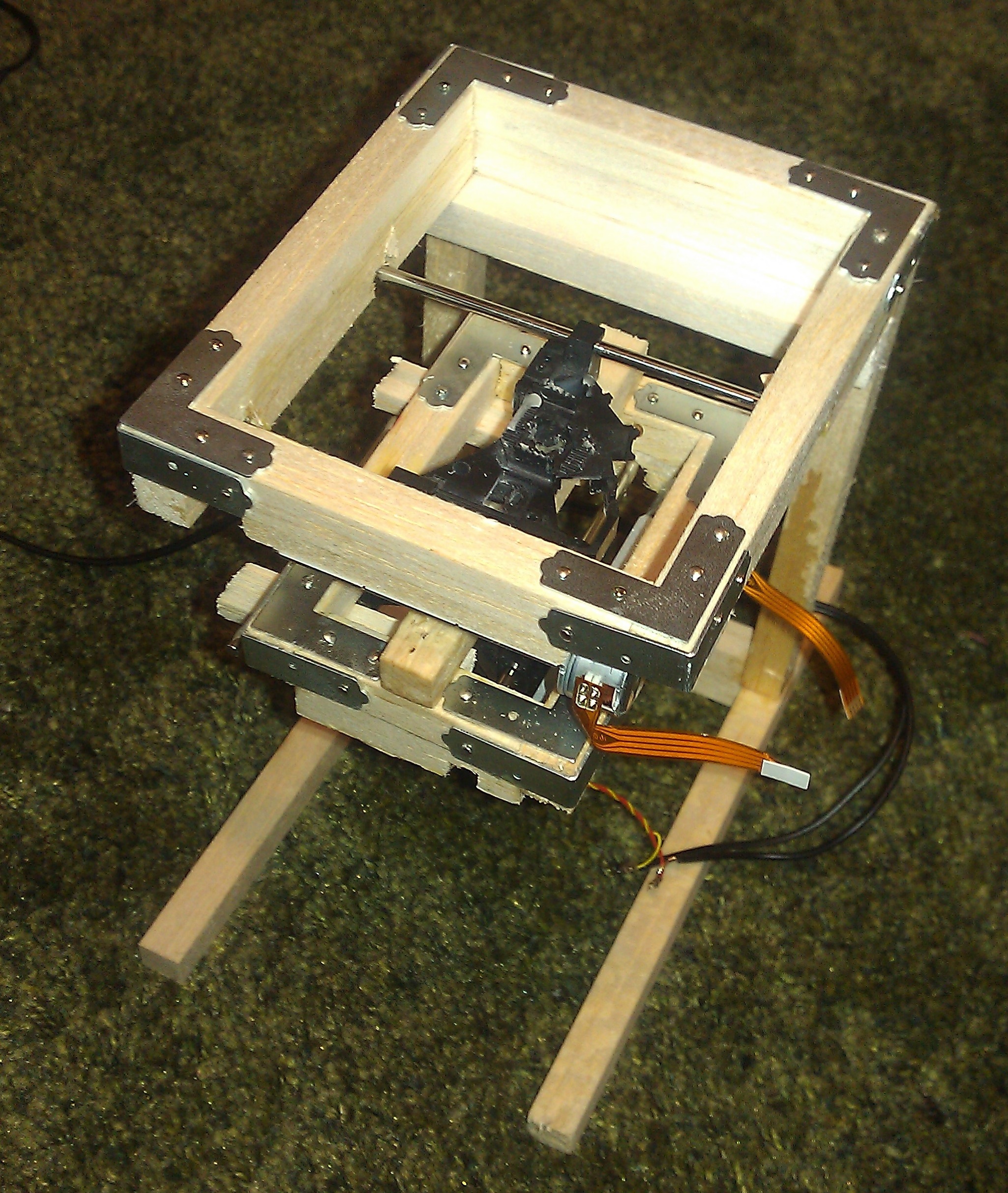
DISCLAIMER: Lasers are dangerous, act with caution. If you do, use laser safety goggles!
I’ve been playing with a Bluray laser, and attempting to build a CNC laser cutter. This is my proof of concept. I’ve built a stage from 2 DVD drives. These are the steppers used to control the motion of the laser as it scans across the disc.
They are mounted directly on top of each other and attached with copious amounts of glue!
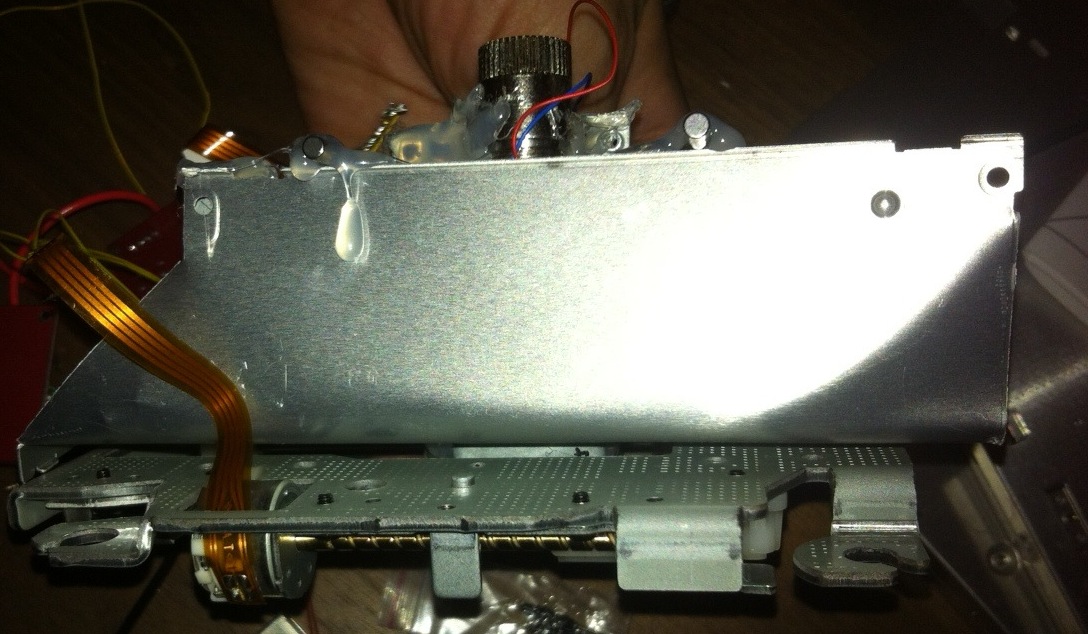

The laser used is a Bluray laser from a Panasonic BDR 207 drive. This was probably the wrong choice as it’s a 3.8mm module.
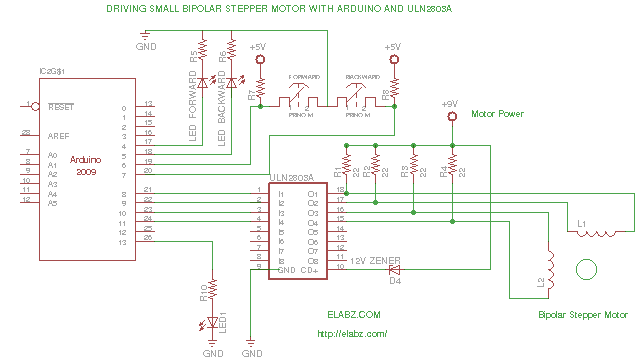
Both steppers are controlled by an Arduino using a ULN2003. The steppers seem to be at their limit and I don’t think they could push around much more weight. This maybe due to the stepper driver, or just because they’re not really designed to move much weight around. I also can’t drive both steppers simultaneously, possibly because of the wall wart power supply I’m currently using… Anyway that means no diagonal motion right now.
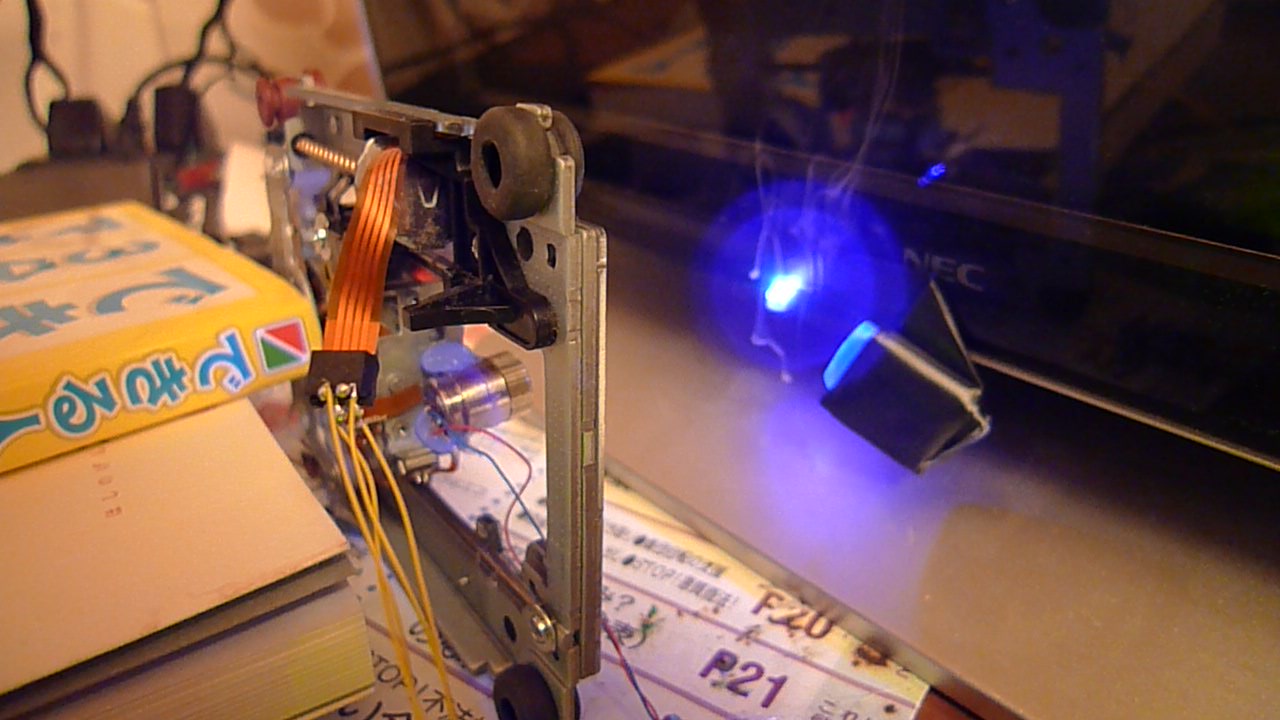
Anyway, even with all it’s faults I’m pretty happy with it as a proof of concept! Here it is cutting its way through some plastic:
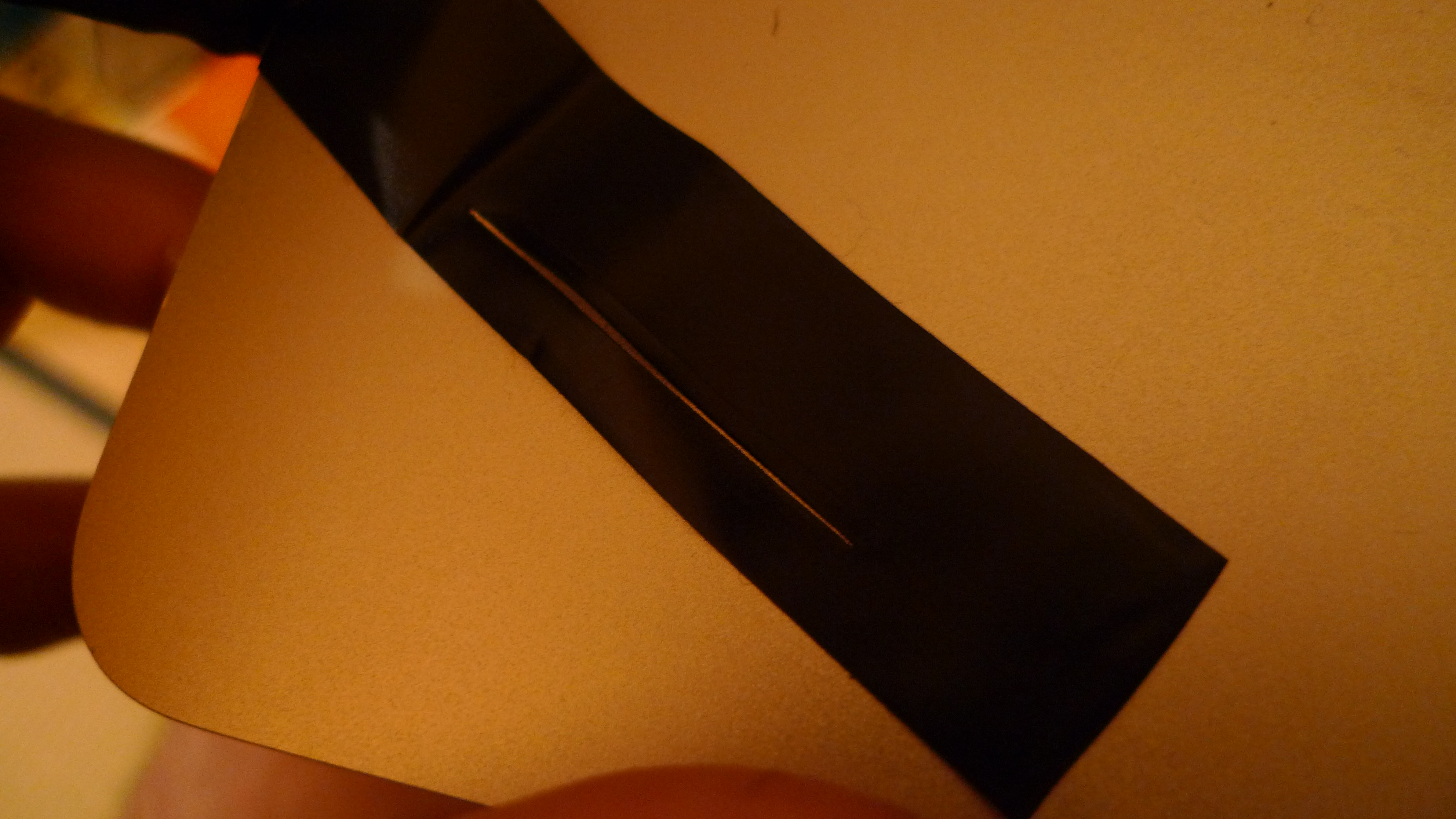
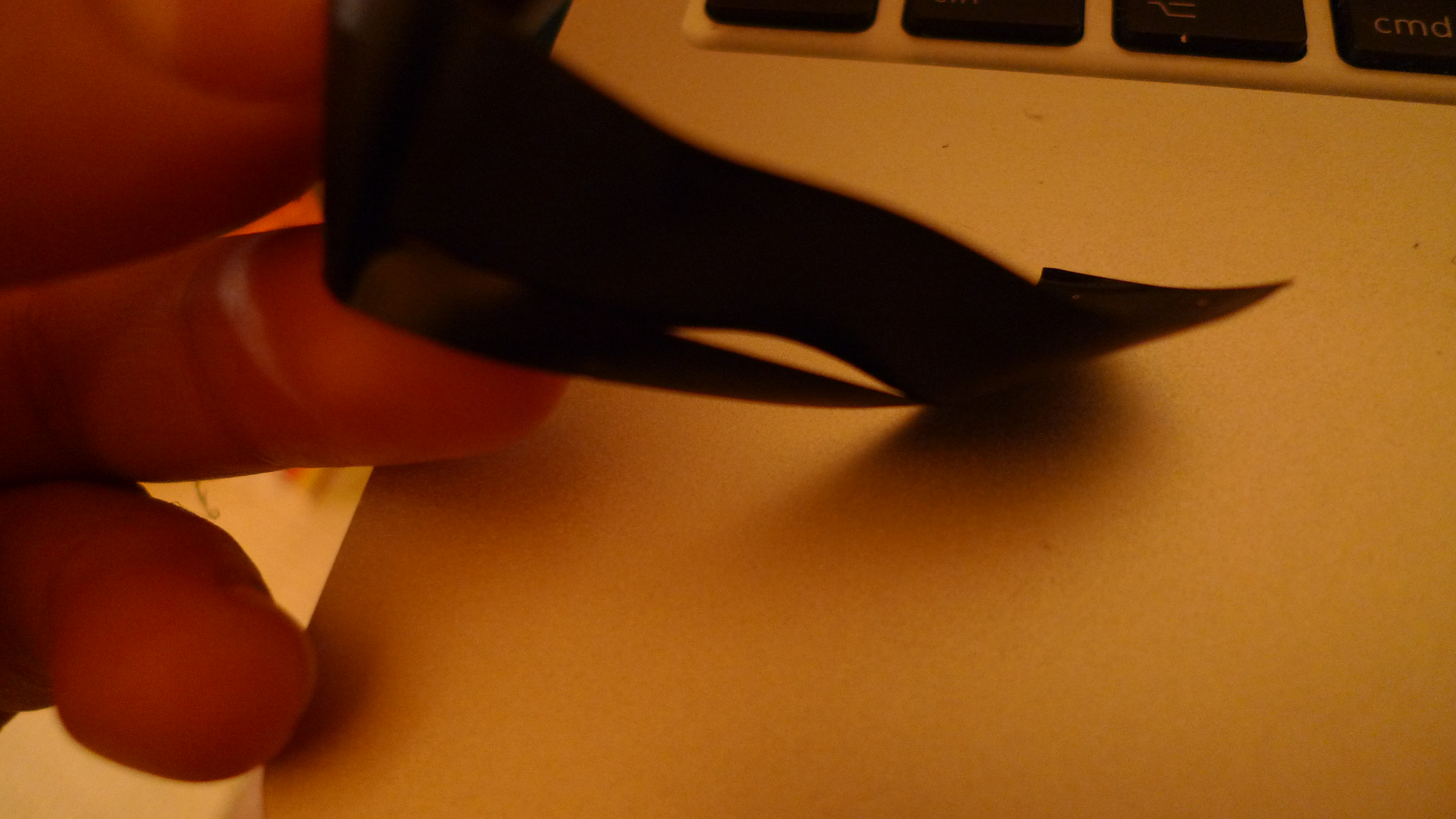
And here’s the result:
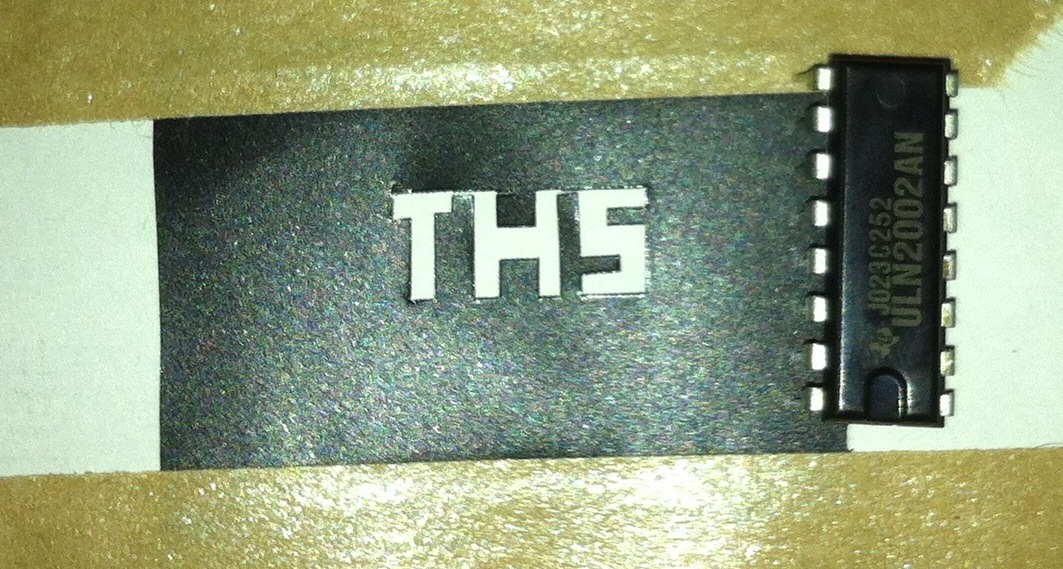
Total component cost is around 100USD. After hacking the above rig together, I then when on to build a slightly more robust system:
Here’s the second rig in action:
If I continue this project there are a number of improvements to be made:
Different stepper driver (I’ll probably just get an EasyDriver from sparkfun).
Different steppers/mechanical components (possibly harvest the components from scanners next time, as the DVD parts give a very small work area).
Properly machine everything (even though it means less glue gun use 🙁 ).
I’d use the laser from a Panasonic S06J drive, it’s a 5.6mm laser, and slightly higher power than the BDR 207.
Code
const int motorAPin1 =4;
const int motorAPin2 =5;
const int motorAPin3 =6;
const int motorAPin4 =7;

const int motorBPin1 =8;
const int motorBPin2 =9;
const int motorBPin3 =10;
const int motorBPin4 =11;

void setup() {
  // initialize the digital pin as an output.
  // Pin 13 has an LED connected on most Arduino boards:
  pinMode(motorAPin1, OUTPUT);
  pinMode(motorAPin2, OUTPUT);
  pinMode(motorAPin3, OUTPUT);
  pinMode(motorAPin4, OUTPUT);

  pinMode(motorBPin1, OUTPUT);
  pinMode(motorBPin2, OUTPUT);
  pinMode(motorBPin3, OUTPUT);
  pinMode(motorBPin4, OUTPUT);

  //ar(30);
  //assbr(30);

}

void stepFwd(int motorPin1,int motorPin2,int motorPin3,int motorPin4) {
  int motorDelay=50;
  digitalWrite(motorPin1, HIGH);
  digitalWrite(motorPin2, LOW);
  digitalWrite(motorPin3, HIGH);
  digitalWrite(motorPin4, LOW);
  delay(motorDelay);

  digitalWrite(motorPin1, HIGH);
  digitalWrite(motorPin2, LOW);
  digitalWrite(motorPin3, HIGH);
  digitalWrite(motorPin4, HIGH);
  delay(motorDelay);

  digitalWrite(motorPin1, HIGH);
  digitalWrite(motorPin2, LOW);
  digitalWrite(motorPin3, LOW);
  digitalWrite(motorPin4, HIGH);
  delay(motorDelay);

  digitalWrite(motorPin1, HIGH);
  digitalWrite(motorPin2, HIGH);
  digitalWrite(motorPin3, LOW);
  digitalWrite(motorPin4, HIGH);
  delay(motorDelay);

  digitalWrite(motorPin1, LOW);
  digitalWrite(motorPin2, HIGH);
  digitalWrite(motorPin3, LOW);
  digitalWrite(motorPin4, HIGH);
  delay(motorDelay);

  digitalWrite(motorPin1, LOW);
  digitalWrite(motorPin2, HIGH);
  digitalWrite(motorPin3, HIGH);
  digitalWrite(motorPin4, HIGH);
  delay(motorDelay);

  digitalWrite(motorPin1, LOW);
  digitalWrite(motorPin2, HIGH);
  digitalWrite(motorPin3, HIGH);
  digitalWrite(motorPin4, LOW);
  delay(motorDelay);

  digitalWrite(motorPin1, HIGH);
  digitalWrite(motorPin2, HIGH);
  digitalWrite(motorPin3, HIGH);
  digitalWrite(motorPin4, LOW);
  delay(motorDelay);
}

void stepRev(int motorPin1,int motorPin2,int motorPin3,int motorPin4) {
  int motorDelay=50;
  digitalWrite(motorPin1, HIGH);
  digitalWrite(motorPin2, HIGH);
  digitalWrite(motorPin3, HIGH);
  digitalWrite(motorPin4, LOW);
  delay(motorDelay);

  digitalWrite(motorPin1, LOW);
  digitalWrite(motorPin2, HIGH);
  digitalWrite(motorPin3, HIGH);
  digitalWrite(motorPin4, LOW);
  delay(motorDelay);

  digitalWrite(motorPin1, LOW);
  digitalWrite(motorPin2, HIGH);
  digitalWrite(motorPin3, HIGH);
  digitalWrite(motorPin4, HIGH);
  delay(motorDelay);

  digitalWrite(motorPin1, LOW);
  digitalWrite(motorPin2, HIGH);
  digitalWrite(motorPin3, LOW);
  digitalWrite(motorPin4, HIGH);
  delay(motorDelay);

  digitalWrite(motorPin1, HIGH);
  digitalWrite(motorPin2, HIGH);
  digitalWrite(motorPin3, LOW);
  digitalWrite(motorPin4, HIGH);
  delay(motorDelay);

  digitalWrite(motorPin1, HIGH);
  digitalWrite(motorPin2, LOW);
  digitalWrite(motorPin3, LOW);
  digitalWrite(motorPin4, HIGH);
  delay(motorDelay);

  digitalWrite(motorPin1, HIGH);
  digitalWrite(motorPin2, LOW);
  digitalWrite(motorPin3, HIGH);
  digitalWrite(motorPin4, HIGH);
  delay(motorDelay);

  digitalWrite(motorPin1, HIGH);
  digitalWrite(motorPin2, LOW);
  digitalWrite(motorPin3, HIGH);
  digitalWrite(motorPin4, LOW);
  delay(motorDelay);
}

void stop(int motorPin1,int motorPin2,int motorPin3,int motorPin4) {

  digitalWrite(motorPin1, LOW);
  digitalWrite(motorPin2, LOW);
  digitalWrite(motorPin3, LOW);
  digitalWrite(motorPin4, LOW);
}


void af(int nm) {
  for(int n=0;n<nm;n++) { stepFwd(motorAPin1,motorAPin2,motorAPin3,motorAPin4); } stop(motorAPin1,motorAPin2,motorAPin3,motorAPin4);
}

void ar(int nm) {
  for(int n=0;n<nm;n++) { stepRev(motorAPin1,motorAPin2,motorAPin3,motorAPin4); } stop(motorAPin1,motorAPin2,motorAPin3,motorAPin4);
}

void bf(int nm) {
  for(int n=0;n<nm;n++) { stepFwd(motorBPin1,motorBPin2,motorBPin3,motorBPin4); } stop(motorBPin1,motorBPin2,motorBPin3,motorBPin4);
}

void br(int nm) {
  for(int n=0;n<nm;n++) { stepRev(motorBPin1,motorBPin2,motorBPin3,motorBPin4); } stop(motorBPin1,motorBPin2,motorBPin3,motorBPin4);
}

void drawT() {
  bf(6);
  af(2);
  br(2);
  af(8);
  br(2);
  ar(8);
  br(2);
  ar(2);
}

void drawH() {
  bf(2);
  af(4);
  bf(4);
  ar(4);
  bf(2);
  af(10);
  br(2);
  ar(4);
  br(4);
  af(4);
  br(2);
  ar(10);
}

void drawS() {
  bf(6);
  af(2);
  br(4);
  af(2);
  bf(4);
  af(6);
  br(6);
  ar(2);
  bf(4);
  ar(2);
  br(4);
  ar(6);
}

void loop() {

  for(int n=0;n<3;n++) drawT();
  bf(8);
  for(int n=0;n<3;n++) drawH();
  bf(10);
  for(int n=0;n<3;n++) drawS();
  //br(18);
  for(;;);

//  for(int n=0;n<20;n++) { stepFwd(motorAPin1,motorAPin2,motorAPin3,motorAPin4); } stop(motorAPin1,motorAPin2,motorAPin3,motorAPin4);

//  for(int n=0;n<25;n++) { stepFwd(motorBPin1,motorBPin2,motorBPin3,motorBPin4); } stop(motorBPin1,motorBPin2,motorBPin3,motorBPin4);

//  for(int n=0;n<20;n++) { stepRev(motorAPin1,motorAPin2,motorAPin3,motorAPin4); } stop(motorAPin1,motorAPin2,motorAPin3,motorAPin4);

//  for(int n=0;n<25;n++) { stepRev(motorBPin1,motorBPin2,motorBPin3,motorBPin4); } stop(motorBPin1,motorBPin2,motorBPin3,motorBPin4);
}


 RSS
RSS