DR4000U Repair and Filter Notes
I have a DR4000U photospectrometer that I bought as junk on eBay. After installing a new UV lamp the instrument powered up and passed power on self tests. I could take measurements and at a first glance things seem to be fine. However… on closer inspection almost all samples showed negative absorbance. The only way I could see this happening was if my samples were strongly fluorescent or they were somehow acting as an optical element reflecting light into the reference photodiode or perhaps focusing more light on the sample photodiode. But this proved not to be the case…
Using the instrument noise checks I also noticed that blocking the light path completely also resulted in negative absorbance. This makes no sense. Eventually using the noise check to look at the photodiode current I figured out something wrong with the instrument. The reference photodiode seemed to increase when I shined a light on the sample photodiode.
After comparing the wiring to another DR4000 I realized that someone had swapped the sample and reference photodiode inputs. This is relatively easy to do as they are both just connected using identical coax connectors. But what’s more interesting is that this /kind of/ works. That is all the power on self tests, which include scanning the grating and wavelength calibration (against the filter wheel references) worked.
So, this seemed like an easy fix. But when I switched the cables round the unit failed wavelength calibration. I then switched out the filter wheel with a working (visible only) DR4000 and the unit worked correctly. So, this instrument had a dead filter wheel, but somehow switching the reference and sample photodiodes tricked it into thinking more light was being detected than actually was, and the instrument passed calibration.
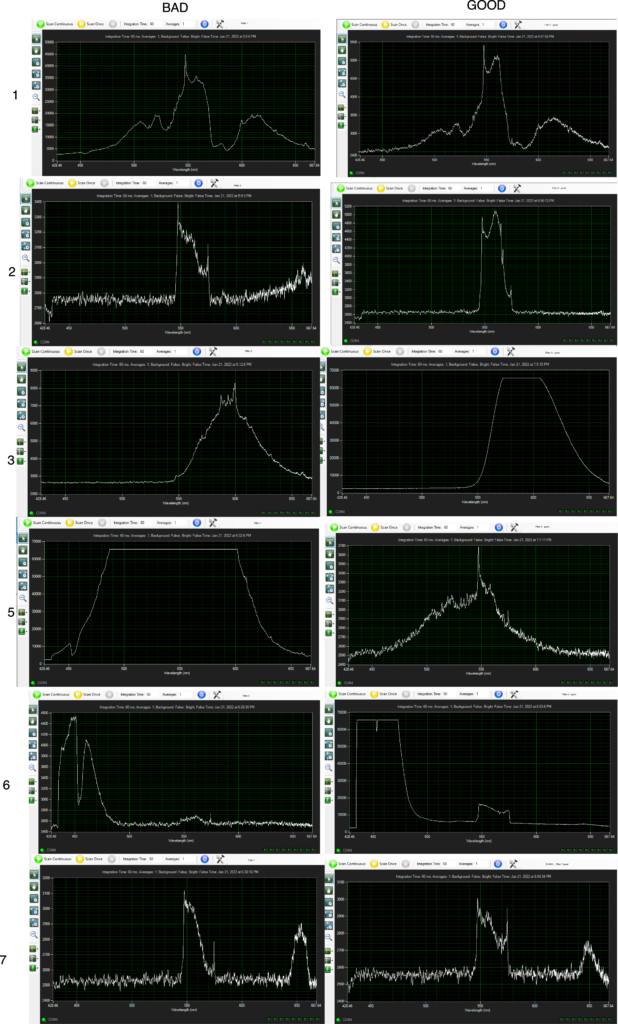
I will probably run this unit with the new filter wheel. But I’d also like to be able to replace the filters in the other unit. Below I’ve taken spectra of the good and bad filters. It might be possible to figure out what filters I need to get to replace these. Hopefully I can also dig up some further documentation somewhere.
Filters
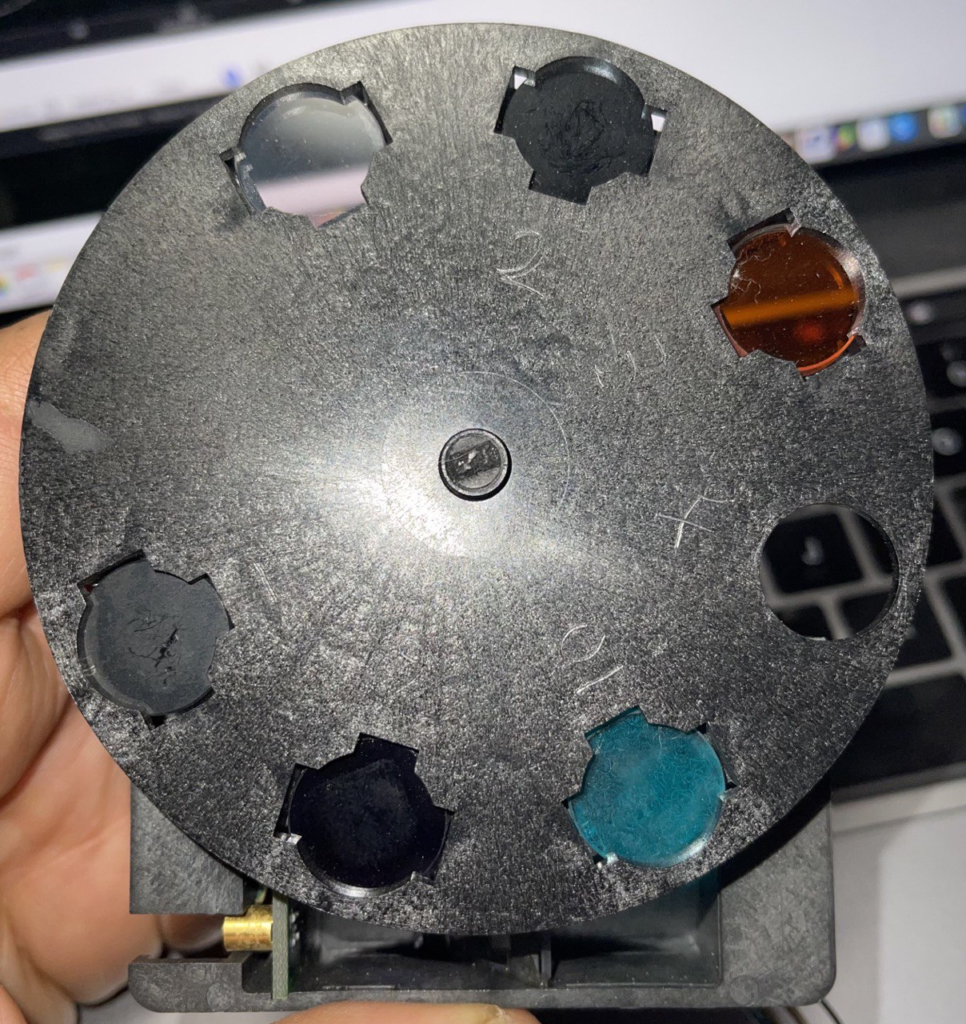
I’ve numbered filters as shown in the image below (hopefully you can just about make out the scratches). This image is from a bad filter wheel. Physically the old but working filter wheel I have looks about as bad as this however, so I’m not sure you can tell an “ok” filter wheel from a bad one visually. In all likelihood the filters I have are all in poor condition however.
“Bad” spectra were taken from the instrument mentioned above. It failed wavelength calibration with “24: Monochromator error”. As mentioned, when the filter wheel was swapped with another unit the previously broken instrument started working. Each filter was illuminated with a Xenon light source and jammed up against a spectrometer head. Possibly not very accurate but may give some indication as to the nature of these filters.
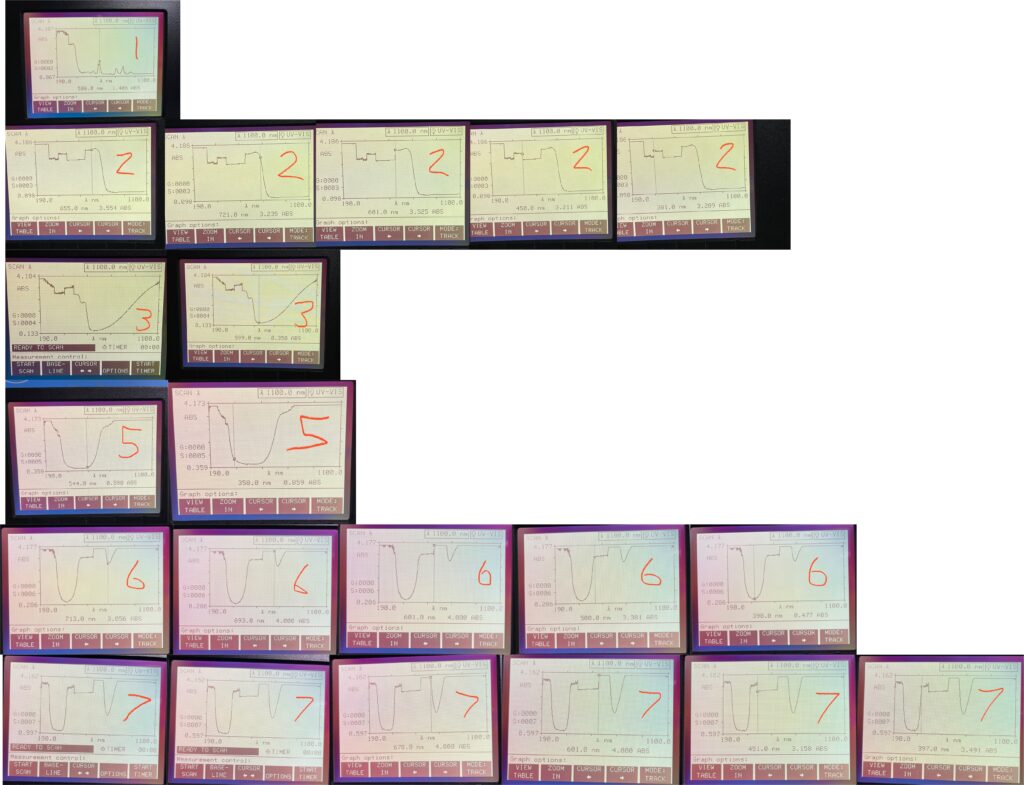
The images below were taken from the “bad” filter set. I tried sticking them in the spectrophotometer and measuring their absorbance. The filters were however in the wrong orientation. Could possibly be instructive however:
 RSS
RSS